
Cleanup Settings
Regular cleanup keeps your project from collecting data that is no longer needed. The Cleanup tab has three tabs: Finished runs, Unfinished runs, and Other. On each tab, you set when the cleanup check runs and how old the data must be before it is cleaned up.
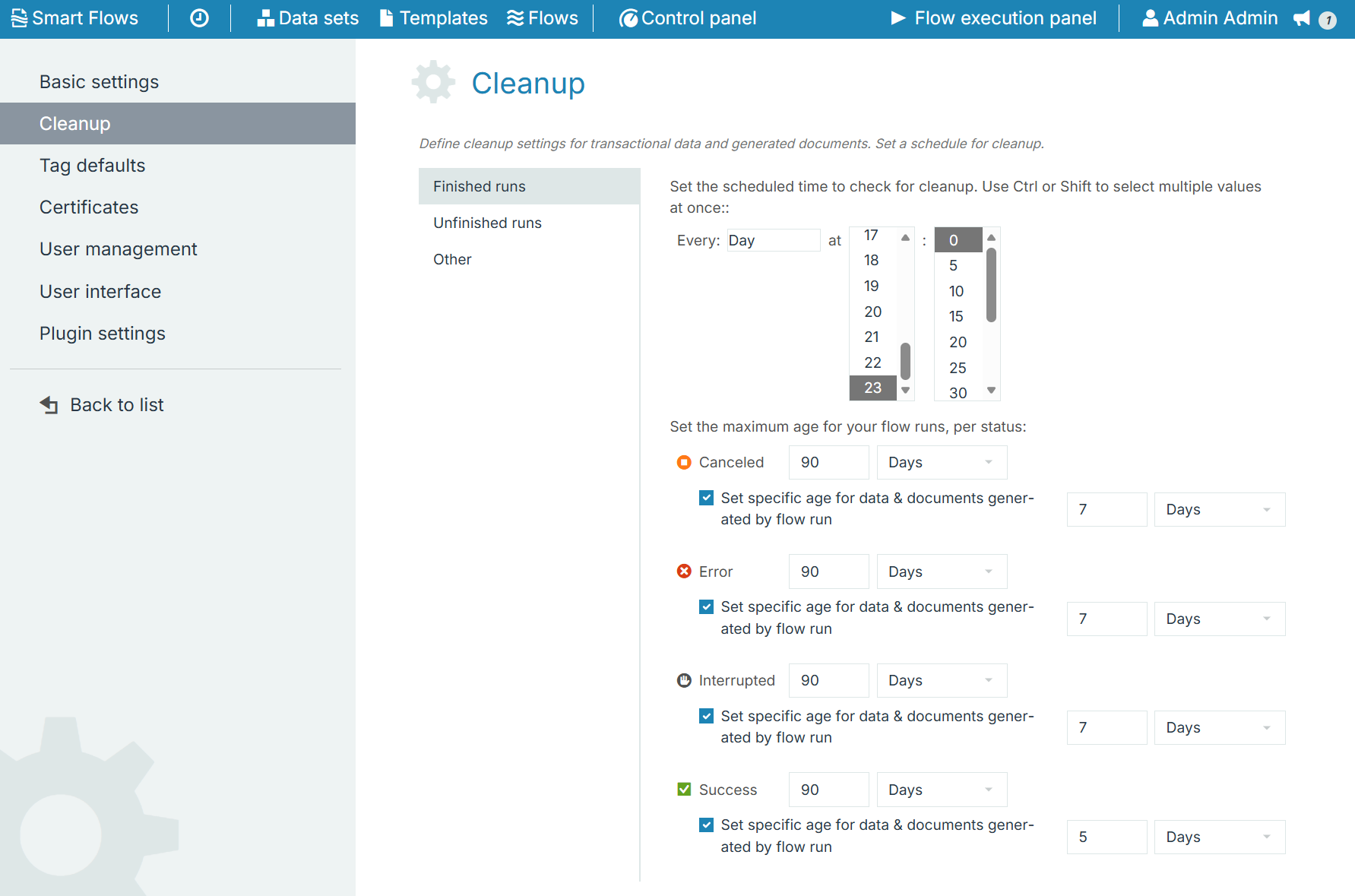
|
Tab |
What is cleaned up |
|---|---|
|
Finished runs |
Flow runs with the status Canceled, Error, Interrupted, or Success. |
|
Unfinished runs |
Flow runs with the status Select flow, User input, or Waiting. |
|
Other |
Documents generated without a flow, for example through the API ( |
Setting the Cleanup Schedule
-
In the Project Console, select Control panel > Settings > Cleanup.
-
Select Finished runs, Unfinished runs, or Other.
-
In Every, select how often the cleanup check runs: Minute, Hour, Day, Week, Month, or Year.
-
Select when the check runs, for example the day and the time. To select multiple values, hold Ctrl or Shift. For example, every Day at 4:10 and 8:10.
-
Select Save changes.
Setting the Maximum Age
For each status, enter a Period and select a Time unit (Days, Hours, Minutes, or Seconds). When the cleanup check runs:
-
Finished runs older than the age are removed, including their documents and data.
-
Unfinished runs with the status User input or Waiting are interrupted. They are then removed according to the Interrupted age on the Finished runs tab.
-
Unfinished runs with the status Select flow are removed.
-
Other documents older than the age are removed.
On the Finished runs tab, you can also select Set specific age for data & documents generated by flow run and enter a shorter age. The documents and data generated by the run are then removed earlier, while the flow run itself is kept until its maximum age.
By default, finished runs are removed after 90 days, User input and Waiting runs are interrupted after 60 days, and Select flow runs are removed after 30 minutes.
We recommend cleaning to prevent the project from gathering data that is no longer in use. For instance, you may want information about yesterday's faulty flow, but no longer need information about a flow from two years ago. The best practice that users can follow is scheduling a monthly cleanup.