
The Start Document Service flow block allows Designers to apply batched operations on a generated document after the Generate document flow block creates it. The batching function enables you to use batch groups and batch configurations to complete multiple operations on your generated documents automatically.
The Start Document Service flow block is only available for subscriptions with access to the Portal (i.e., Business Cloud Light/Full). The Document Services component of the Portal comes out of the box with multiple operations to apply to generated documents. It also allows you to create custom operations to meet your exact business need such as renaming, zipping, template execution. Please contact our support team or your account manager for more information about custom operations.
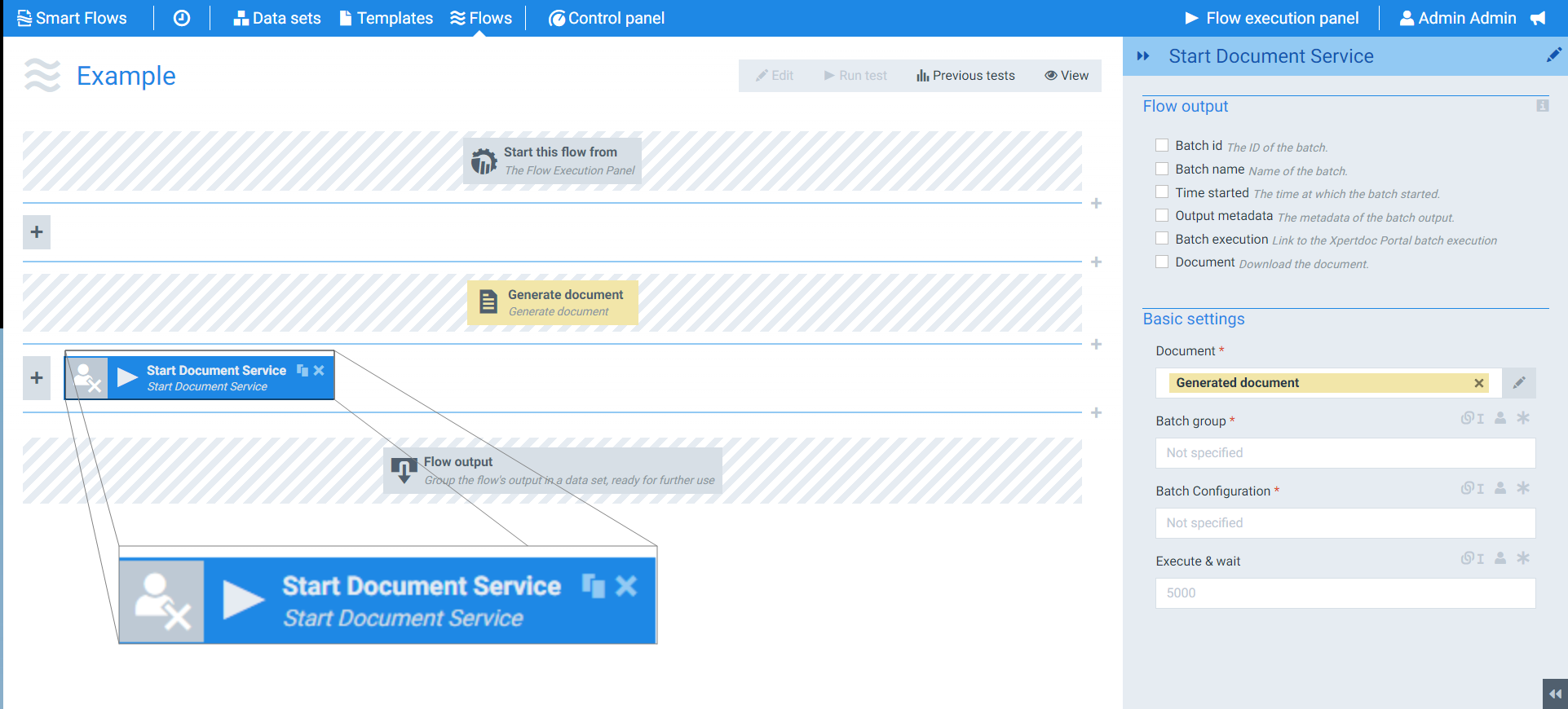
Flow Block Parameters
The dropdown menus below provide all of the flow block's configuration options with detailed information and recommendations to help you configure your flow block.
Flow block customization buttons
You can further customize your flow block's parameters in several ways
-

-

-

Flow output
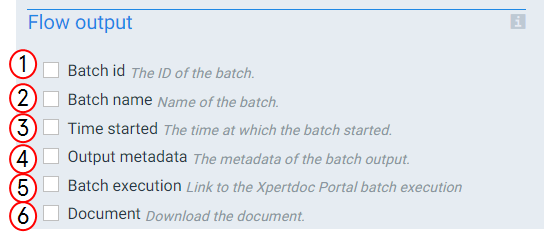
The Flow Output section shows all the output parameters that are available for the block. When checked, the value of the output parameter are presented to the user who is executing the flow. Each setting that composes this output information is described in detail below:
|
Index No. |
Field name |
Description |
|---|---|---|
|
1 |
Batch id |
When checked, the system provides the batch ID that matches this run of the Batch configuration at the end of the flow run. |
|
2 |
Batch name |
When checked, the system provides the batch's name at the end of the flow block's run. |
|
3 |
Time started |
When checked, the system provides the time the Batch configuration started. When unchecked, the system takes no action at the end of the flow block's run. |
|
4 |
Output metadata |
When checked, the system provides the metadata from the Batch configuration's actions at the end of the flow block's run. When unchecked, the system takes no action. |
|
5 |
Batch execution |
When checked, the system provides a link to the Portal's batch execution at the end of the flow block's run. When unchecked, the system takes no action. |
|
6 |
Document |
When checked, the system provides a download link to the document at the end of the flow block's run. When unchecked, the system takes no action. |
Basic settings
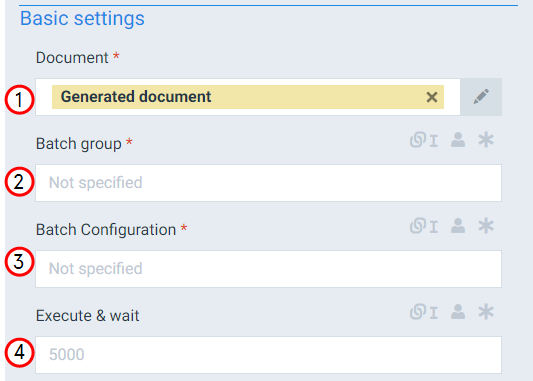
The Basic settings of the Start Document Service flow block determine what batch group the document should use, what Batch configuration to apply to the document. You can also set how long the system should wait for your Batch configuration to run before moving onto to the new step in your flow.
|
Index No. |
Field name |
Description |
|---|---|---|
|
1 |
Document |
Defines the document to use for the flow block. The system uses the Generated document by default. |
|
2 |
Batch group |
Selects the name of the Batch Group within the Portal- Document services. |
|
3 |
Batch configuration |
Selects the service you wish to start on the Portal server to complete the Batch configuration for the flow block. |
|
4 |
Execute & wait |
Defines the maximum amount of time (in milliseconds) for Smart Flows to wait before moving to the next step in the flow. When configuring the Execute and wait field, you do not have to enter a value for the field. If your Batch configuration operations do not need to complete before the next flow block starts, leave the field blank. If you need the system to wait until your Batch configuration operations are completed, set the Execute and wait field to a value you are certain provides time for the system to complete the required operations. |