
System relations are the normal metadata relations found in all Microsoft Dynamics 365 F&O instances. Due to the data structure of Microsoft Dynamics 365 F&O, not all of the metadata is collected and connected when you create your connector. However, by importing the system relations via the Relationship Manager, you can automatically create and associate the majority of the relations you have in your Microsoft Dynamics 365 F&O instance.
-
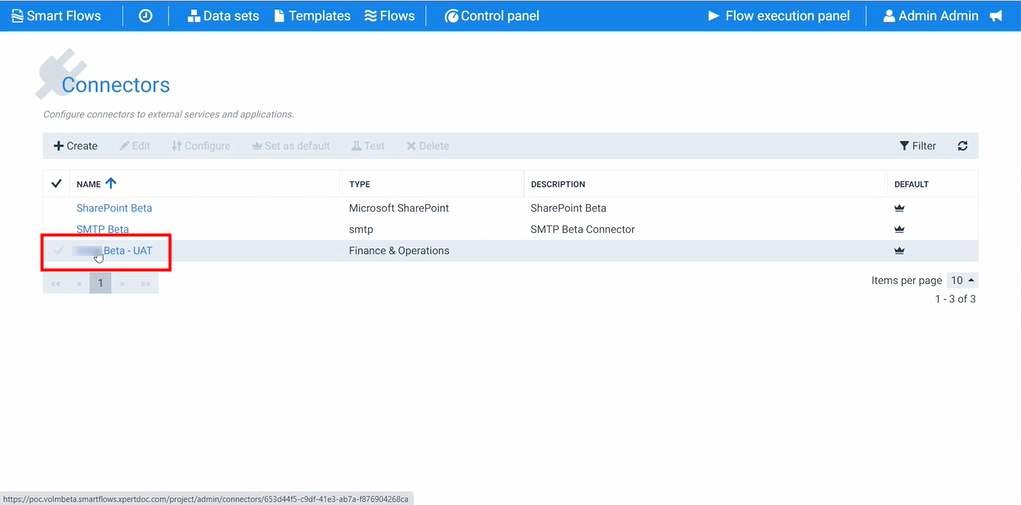
In the Project Console, navigate to the Control Panel > Connectors > select a Microsoft Dynamics 365 F&O connector.
-
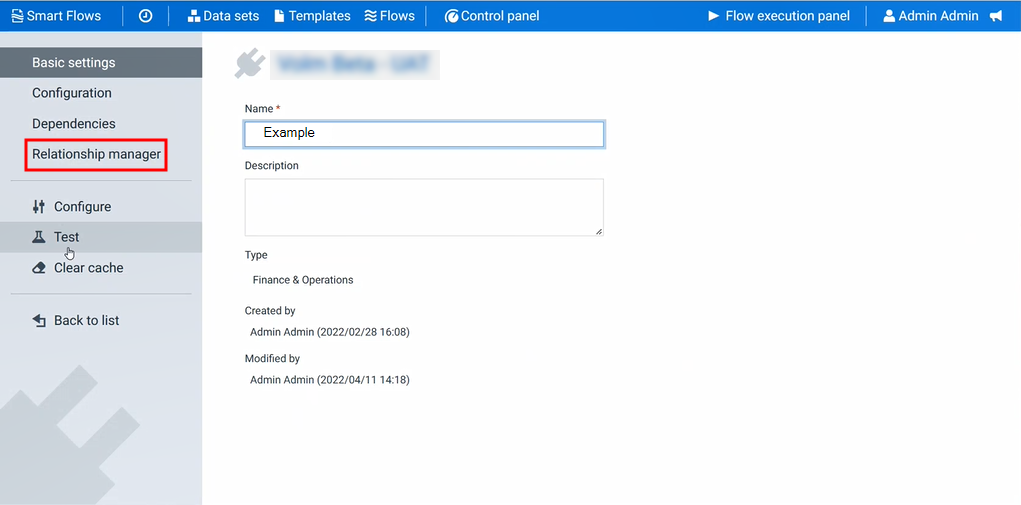
Select Relationship manager.
-
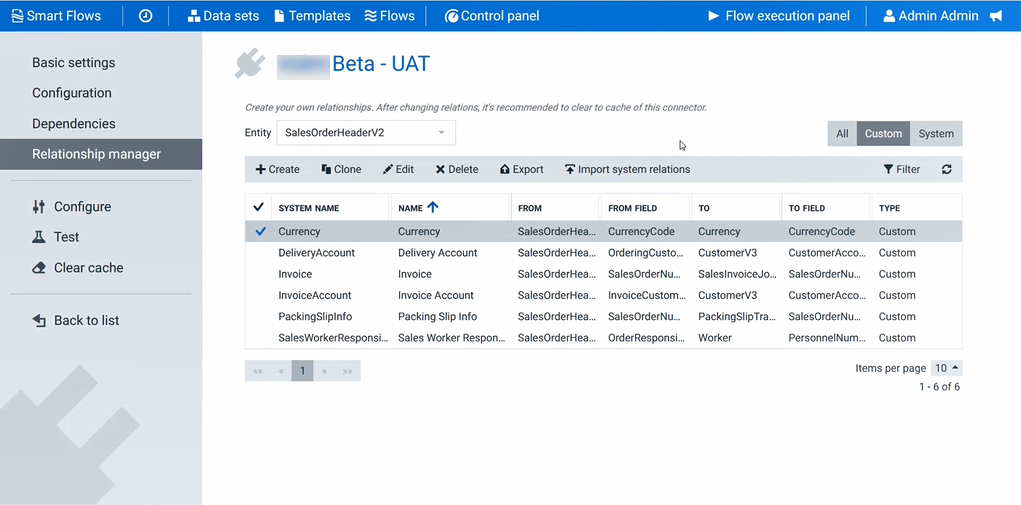
In the Entity search bar, search for the entity you wish to import system relations.
-
Select the Import system relationships button.
In the top right, Successfully imported custom relations displays in green. Any imported system relations are displayed in the list view.
-
Repeat STEP 4. Importing System Relations through STEP 5. Importing System Relations for any additional entities you wish to import their related system relations.