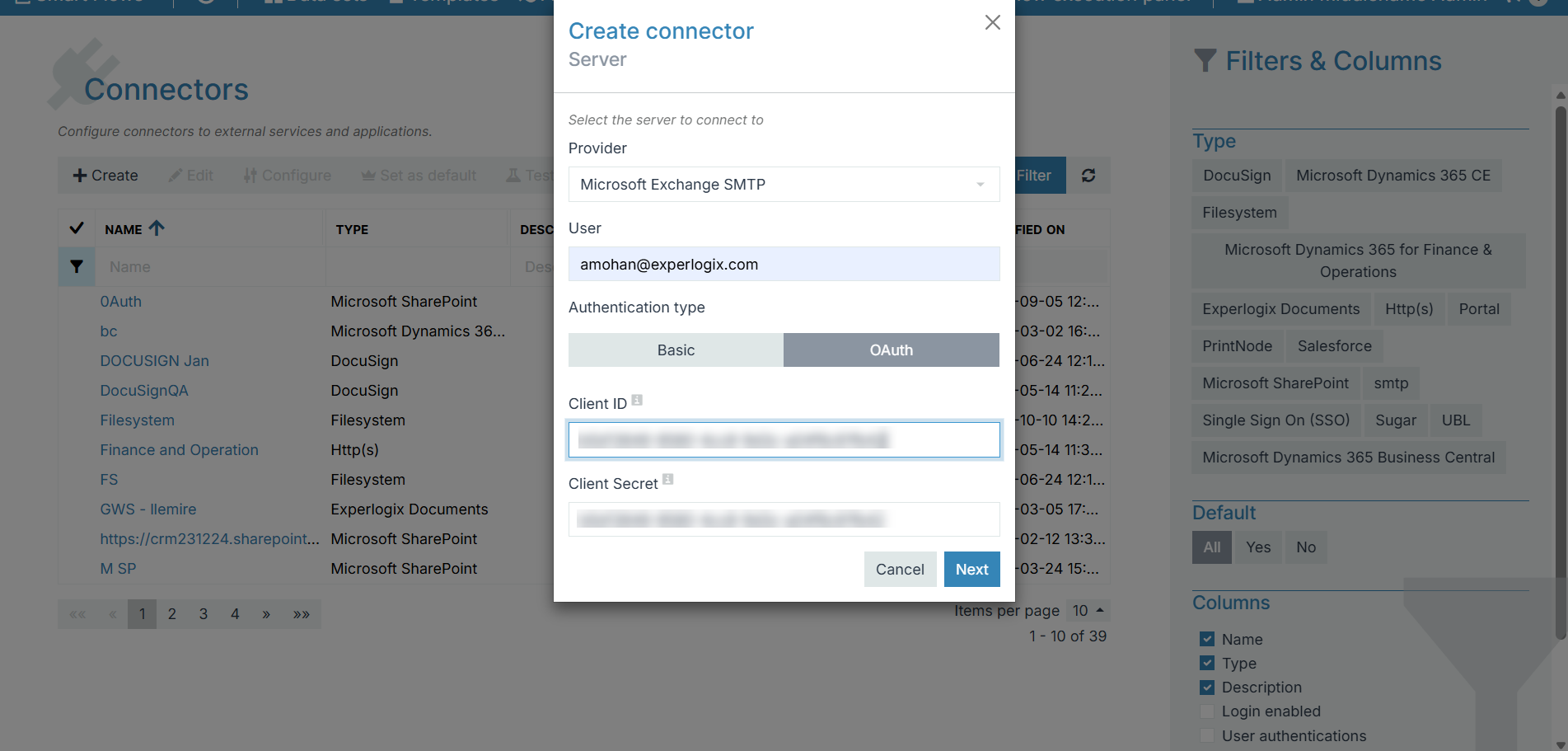
To use Microsoft Exchange or Microsoft 365 SMTP with OAuth authentication in Experlogix Smart Flows, you must create an app registration in Microsoft Entra ID (Azure Active Directory). This app registration provides the OAuth client credentials that Smart Flows uses to authenticate securely when sending email, without relying on username/password authentication.
Prerequisites
Before you start, make sure you have:
-
Access to the Azure portal with permission to create app registrations.
-
A Microsoft 365 or Exchange Online tenant.
-
Your Smart Flows project domain is required to construct the redirect URI.
https://login.[your-smart-flows-project-domain]/oauth2/redirect
Process Overview
Create a new app registration
-
Sign in to the Azure portal.
-
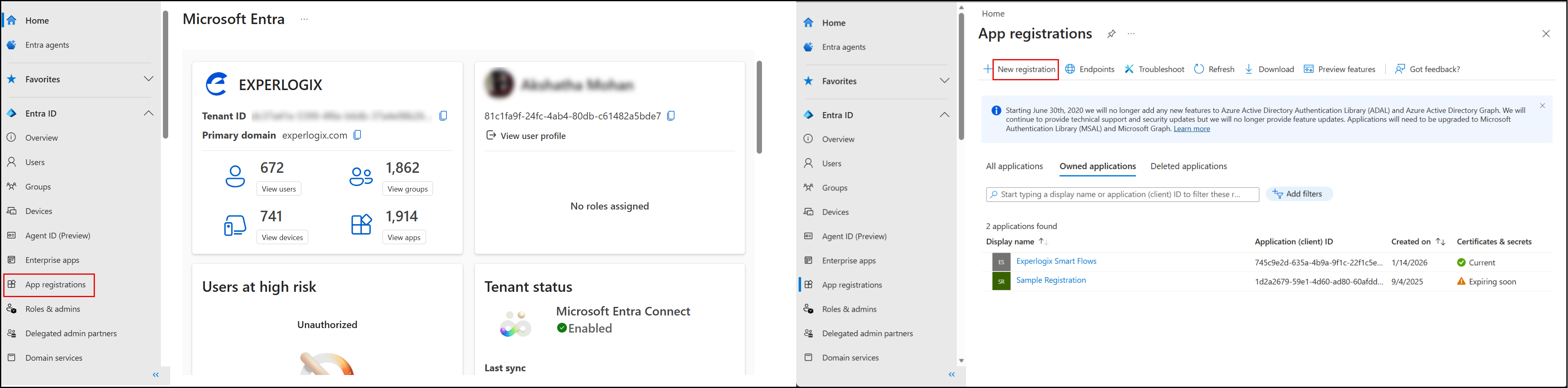
Navigate to Microsoft Entra ID.
-
Select App registrations > New registration.
-
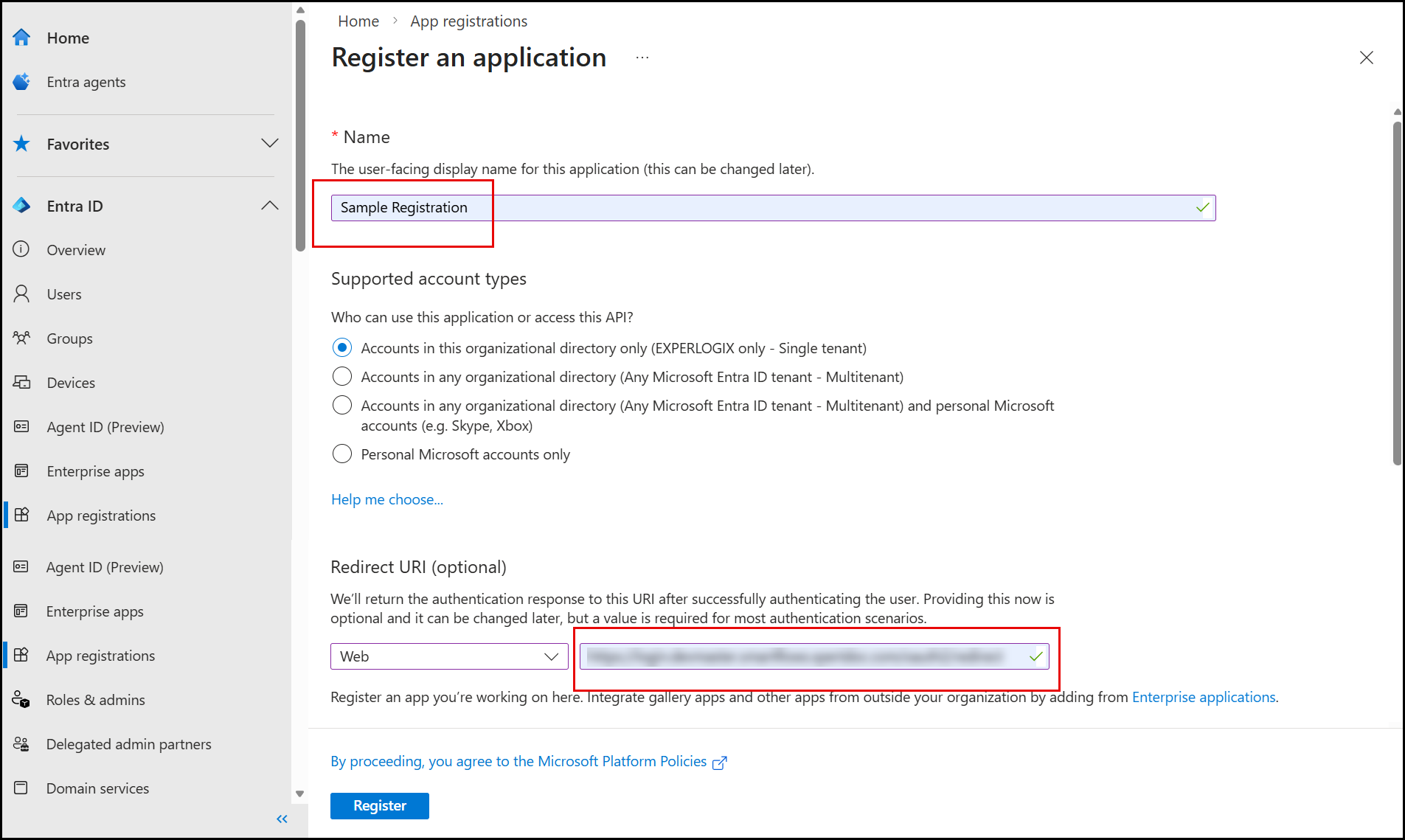
Enter a Name (for example: Smart Flows SMTP Connector).
-
Select Accounts in this organizational directory only.
-
(Optional) Under Redirect URI, select Web and enter:
https://login.[your-smart-flows-project-domain]/oauth2/redirect -
Select Register.
After registration, note the Application (client) ID and Directory (tenant) ID.
Configure API permissions
-
Open the newly created app registration.
-
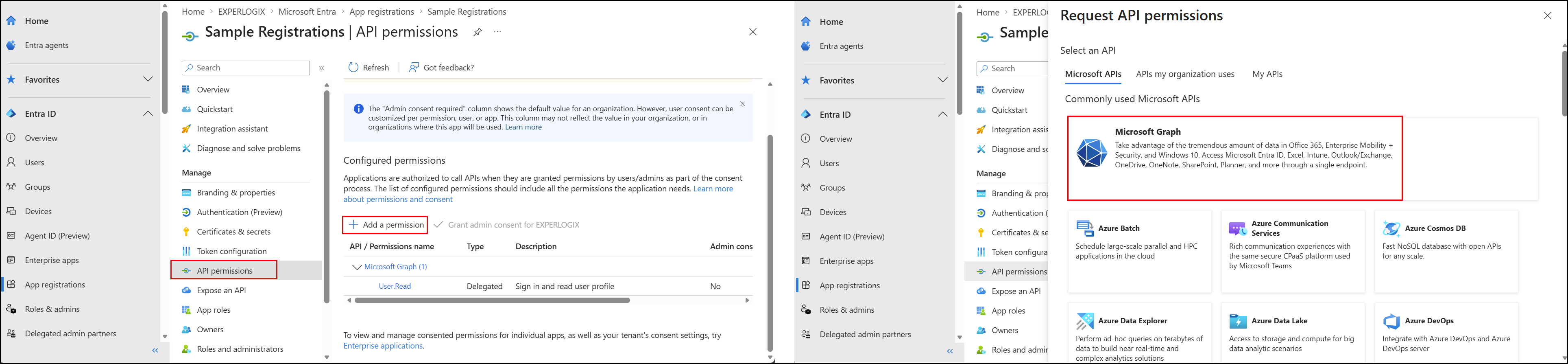
Navigate to API permissions.
-
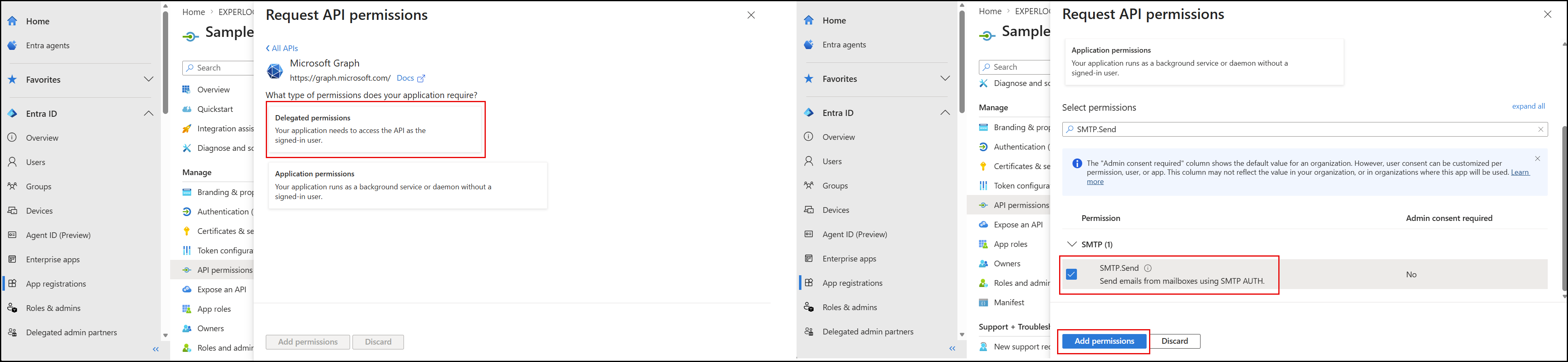
Select Add a permission > Microsoft Graph.
-
Choose Delegated permissions and SMTP.Send permission:
-
Select Add permissions > Grant admin consent to approve the permission for the tenant.
This permission allows Smart Flows to send email via Exchange SMTP using OAuth authentication.
Create client credentials
-
In the app registration, navigate to Certificates & secrets.
-
Under Client secrets, click New client secret.
-
Enter a description and select an expiration period.
-
Select Add.
-
Copy the client secret value immediately and store it securely.

Configure OAuth credentials in Smart Flows
In the Smart Flows SMTP connector configuration, enter the following:
-
Provider: Microsoft Exchange SMTP.
'User': the user that is logged in in order to execute the App registration."
-
Authentication type: OAuth.
-
Client ID: Application (client) ID.
-
Client secret: Client secret value.