
The Retrieve data with HTTP Connector flow block retrieves data from an external system via an HTTP request.
The Retrieve data with HTTP Connector flow block is only available if you have already created an 'HTTP(s)' type connector.
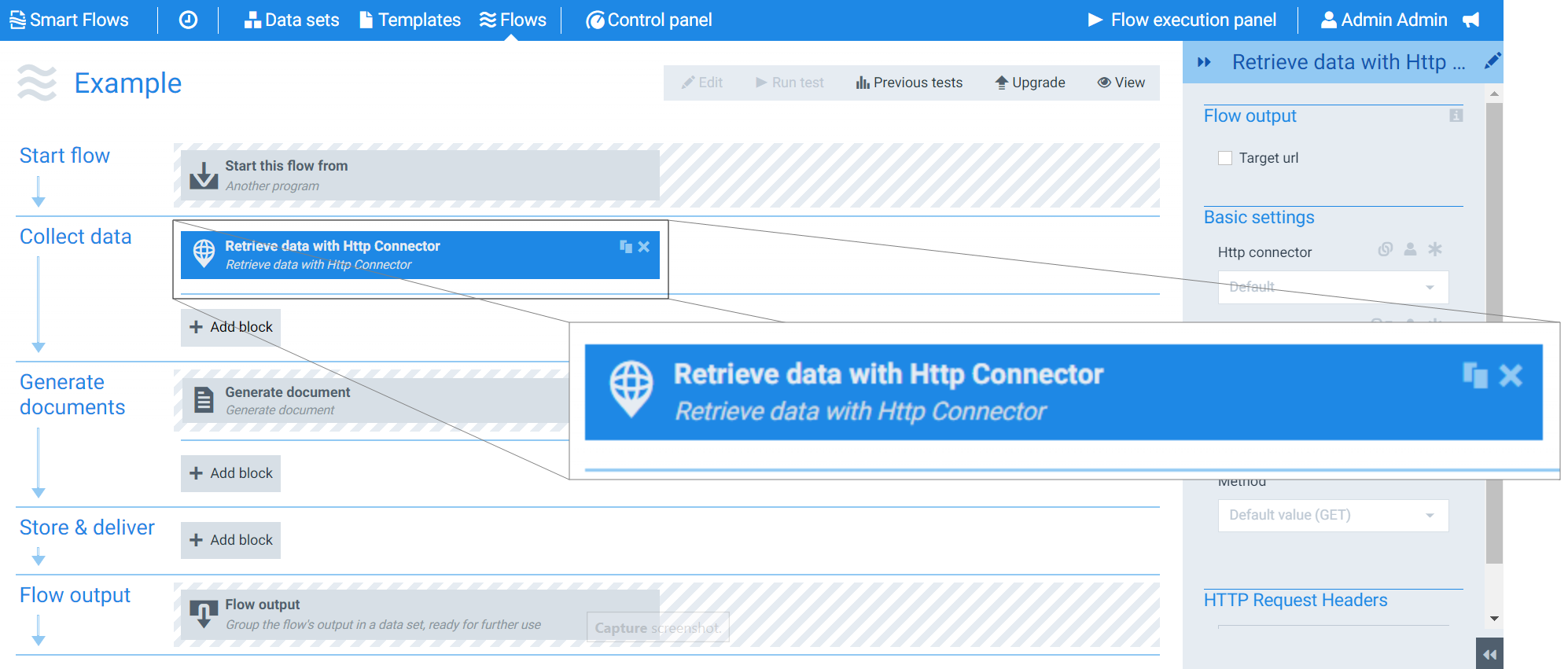
Flow Block Parameters
The dropdown menus below provide all of the flow block's configuration options with detailed information and recommendations to help you configure your flow block.
Flow block customization buttons
You can further customize your flow block's parameters in several ways
-

-

-

Flow output
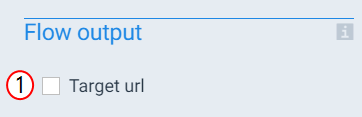
The Flow Output section shows all the output parameters that are available for the block. When checked, the value of the output parameter is presented to the user who is executing the flow. Each setting that composes this output information is described in detail below:
|
Index No. |
Field name |
Description |
|---|---|---|
|
1 |
Target url |
When checked, the system displays the full URL (base path +path) of the targeted data during the flow output step. |
Basic settings
|
Index No. |
Field name |
Description |
|---|---|---|
|
1 |
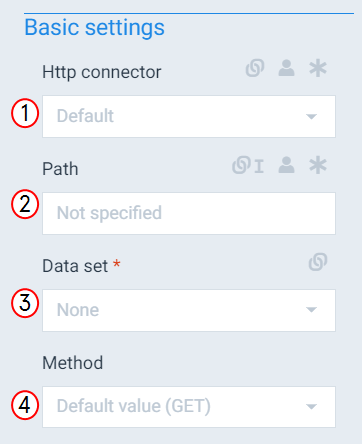
Http connector |
Defines the HTTP(s) connector to use for the HTTP requests. |
|
2 |
Path |
Adds to the HTTP connector field value to create the full URL for the HTTP request(EX: https://MyWebSite.com/pathvalue). |
|
3 |
Data Set |
Defines which data set the system should use when storing the retrieved data. |
|
4 |
Method |
Sets the HTTP method for the request with the following options: GET, POST, PUT, DELETE. The system uses GET as the default value. For most cases, we recommend using the GET method. |
HTTP request headers
If you have configured headers at the connector level, you do not need to add them here. Designers can use these settings to provide additional headers specific for a request occurring only in this flow block within this particular flow.
|
Index No. |
Field name |
Description |
|---|---|---|
|
1 |
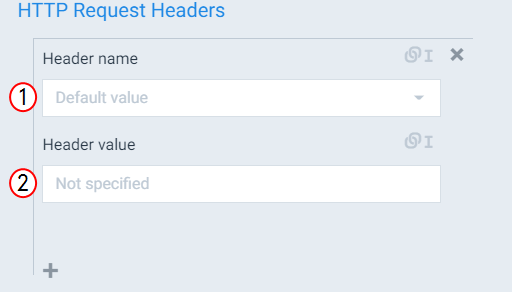
Header name |
Defines the Header name for HTTP request with the following options: Accept Accept-Charset Accept-Encoding Accept-Language Access-Control-Allow-Credentials Access-Control-Allow-Headers Access-Control-Allow-Methods Access-Control-Allow-Origin Access-Control-Expose-Headers Access-Control-Max-Age Age Allow Cache-Control Connection Content-Disposition Content-Encoding Content-Language Content-Length Content-Range Content-Type Cookie Date ETag Expires Host If-Match If-Modified-Since Last-Modified Origin Pragma Server Trailer User-Agent WWW-Authenticate. |
|
2 |
Header value |
The value for the header is defined by the external system. For example, the system might dictate to send a Content Type header along with our request:
|