
The Create Data flow block maps data from a source data set into a destination data set. In the list of flow blocks, it is described as "Use a data set and map values on specific fields".
Use the Create data block to:
-
Build variables or custom values to pass into a template.
-
Pre-populate a Smart Form or Web Form with data before presenting it to an end user.
-
Combine and map data from earlier blocks (such as data retrieved through a connector or an HTTP request) into a target data structure.
-
Provide a starting data set for downstream flow blocks.
Prerequisites
-
The project contains at least one configured data set.
-
If mapping dynamic values from other sources, the relevant retrieval blocks (such as Retrieve data or Get user input) must appear in the flow before the Create data block.
Create Data Block in a Flow
Configuring a Create data block involves three steps:
-
Select a Data set
-
Choose a Starting point
-
Map your data
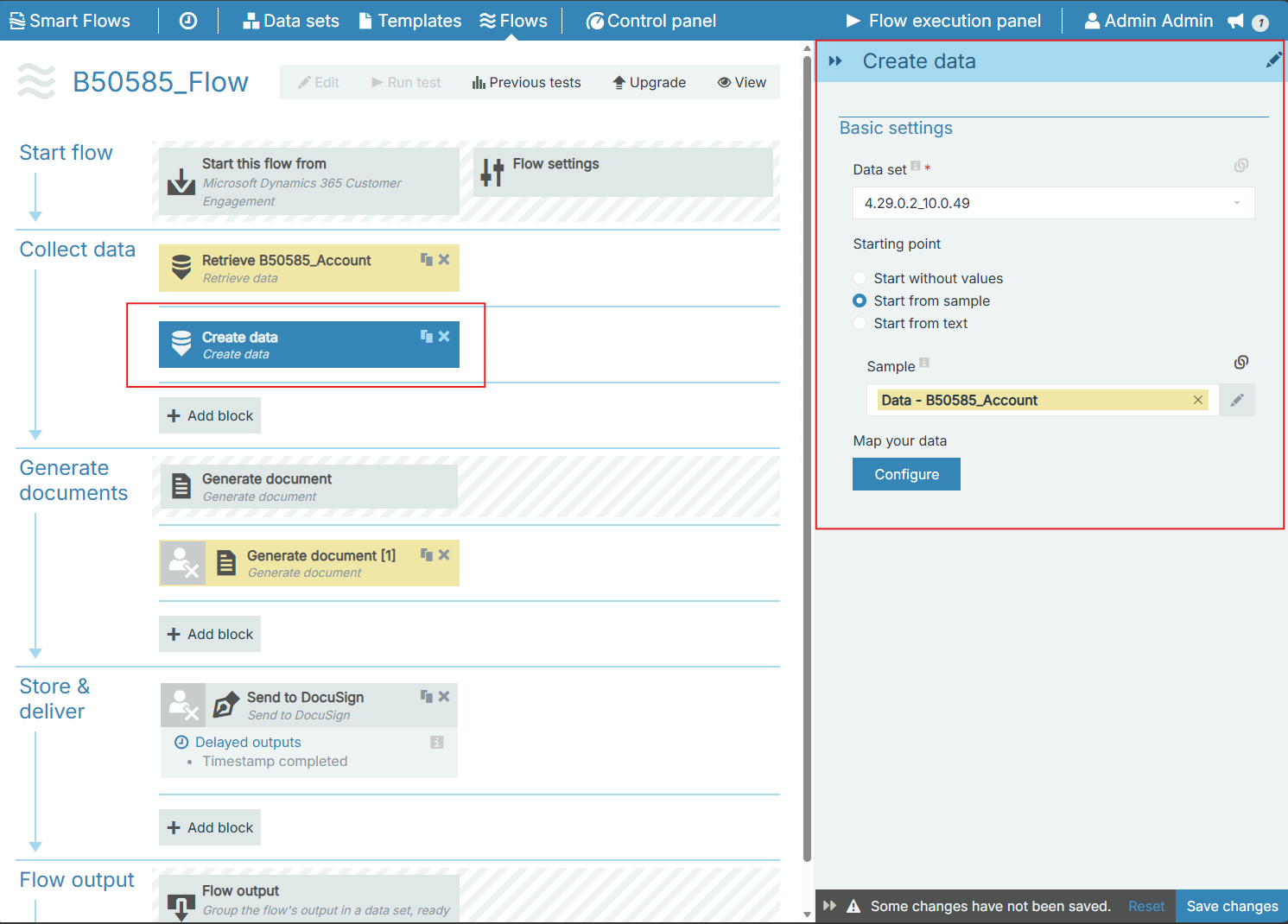
The sections below describe the process of adding the block and configuring these three settings in detail.
Add Create Data Block:
-
Open your flow in the Flow Builder.
-
Under the Collect data section, select Add block and choose Create data.
-
In the Data set field, select the target data set.
-
Select a Starting point option to determine how the base data is initialized:
-
Start without values (default): Generates an empty structure from the schema.
-
Start from sample: Loads baseline values from an existing sample of the data set.
-
Start from text: Loads baseline values from raw XML text. The text can be entered statically, linked to a variable/output from a preceding block, or set as user input (and optionally marked as required).
-
In the Map your data section, select Configure to map values onto the data set fields.
-
Save your flow changes.
Basic Settings in Detail
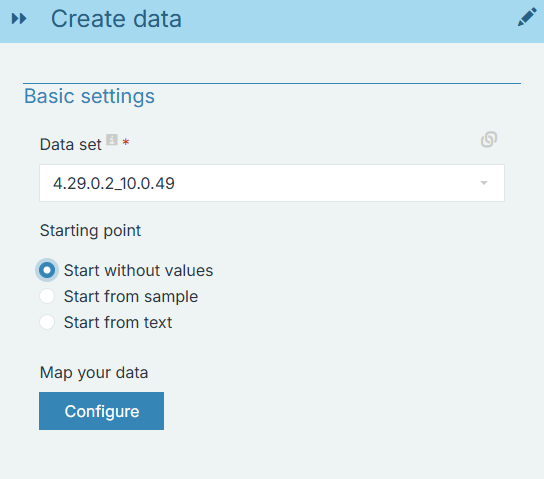
Data Set
The Data set setting defines the target data structure and schema used to construct the data payload.
Key details about selecting a data set:
-
Required selection: You must choose a data set from the dropdown list. The dropdown displays all data sets configured in the current project (standard, custom, or form data sets).
-
Schema definition: The selected data set provides the schema (fields, types, hierarchy, and validation rules) used across the rest of the block configuration.
-
Drives downstream configuration:
-
The available samples in Start from sample correspond directly to the samples uploaded for this data set.
-
The schema fields displayed in the Map your data editor are generated from this data set.
-
-
Compatibility with downstream blocks: When passing the output of this block into a template, a Get user input block, or an external system, ensure the chosen data set matches the schema expected by that downstream block or form.
Starting Point
The Starting point setting determines the initial payload before any custom field mappings are evaluated. There are three Starting point options:
|
Option |
Description |
|---|---|
|
Start without values |
Builds the data strictly from the data set schema with no initial values. This is the default behavior. |
|
Start from sample |
Initializes the data using an existing sample from the selected data set. When selected, choose a sample in the Sample field. |
|
Start from text |
Initializes the data from raw text entered in the Text field. The entered text must be in valid XML format matching the data set structure; can be entered statically, linked to a variable/output from a preceding block, or set as user input (and optionally marked as required). |
Note: Any field mappings configured in the Map your data editor are applied on top of the starting point, overriding baseline values from the sample or text.
Map Your Data
Opens the field mapping editor where you assign static values, variables, or outputs from preceding flow blocks to specific data set fields.
To map data:
-
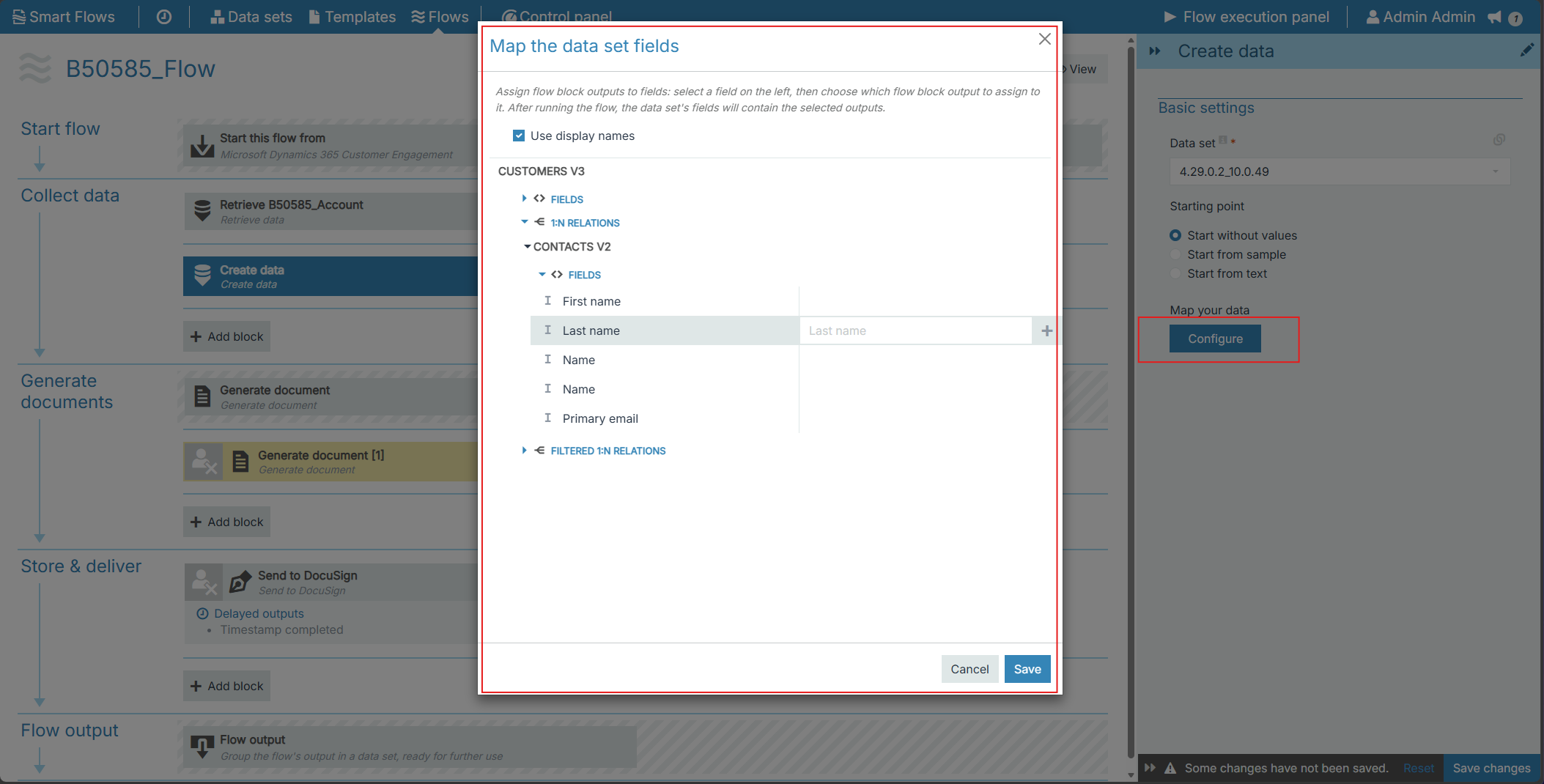
Select Configure in the Map your data section to open the field mapping editor.
-
In the mapping editor:
-
Map static values, flow variables, or outputs from preceding blocks directly onto target data fields.
-
Use expressions or condition logic where required.
-
Save changes.
Validation
When the flow executes, Smart Flows validates the starting point data:
-
If Start from text is selected and the input text is not valid XML, the step fails with the message: "Create data failed because the text input is not a valid XML format."
-
If Start from sample is selected and the sample is invalid or incompatible with the data set schema, the step fails with the message: "Create data failed because the selected sample is invalid or incompatible with this data set. Choose a valid sample."
Outputs
The Create data block provides the following outputs for use in downstream blocks:
|
Output |
Description |
|---|---|
|
Data |
The complete data payload generated by this block, available for mapping into templates, forms, or delivery steps. |
|
Data ID |
The unique identifier of the created data record, usable to retrieve the data payload through the Smart Flows API. |
Common Use Cases
Initializing Template Variables
If a template requires specific values that are not stored in your primary data source (for example, hardcoded company codes, processing flags, or dynamically constructed strings), use Create data with a custom data set containing those fields.
Pre-populating an Experlogix Documents Web Form or Smart Form
To present a form with prefilled information:
-
Retrieve data from your primary system using Retrieve data (or an equivalent connector block).
-
Add a Create data block and select the form's data set.
-
Select Configure under Map your data to map the retrieved fields into the corresponding form fields.
-
In the subsequent Get user input block, select the Data output from the Create data block in the Initial values field.
When the form opens, the mapped fields appear prefilled for the user.
To learn more about Experlogix Documents Web Forms visit the Experlogix Documents Knowledge Base.
Combining Form Submissions with Other Data Sources
When a user submits information through a web form, you may need to combine their answers with existing records before generating a document:
-
Collect the user's responses using Get user input.
-
Retrieve additional context from your connected system using Retrieve data.
-
Add a Create data block based on the document template's target data set.
-
Map values from both the Get user input output and the Retrieve data output into the target structure.
-
Pass the combined Data output from the Create data block to Generate document.