
In this section, you will learn how to define and how to create a multiple Optionset choice field that filters on text values.
-
Navigate to https://make.powerapps.com/.
-
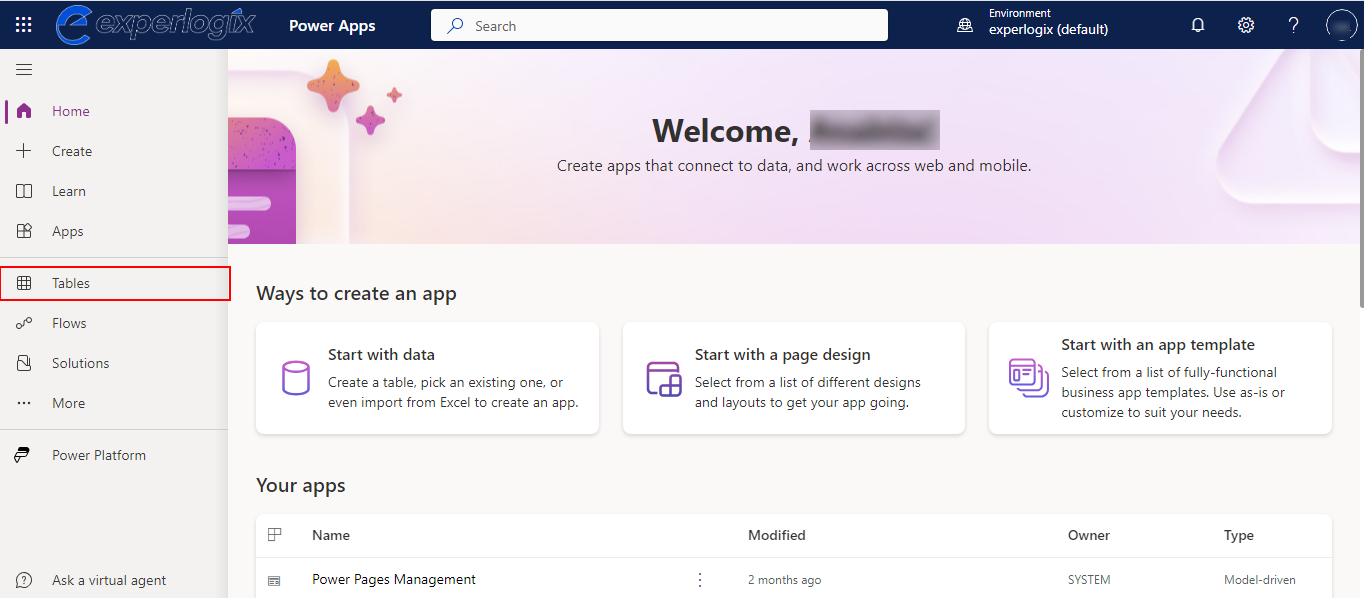
From the left-hand menu, select Tables.
-
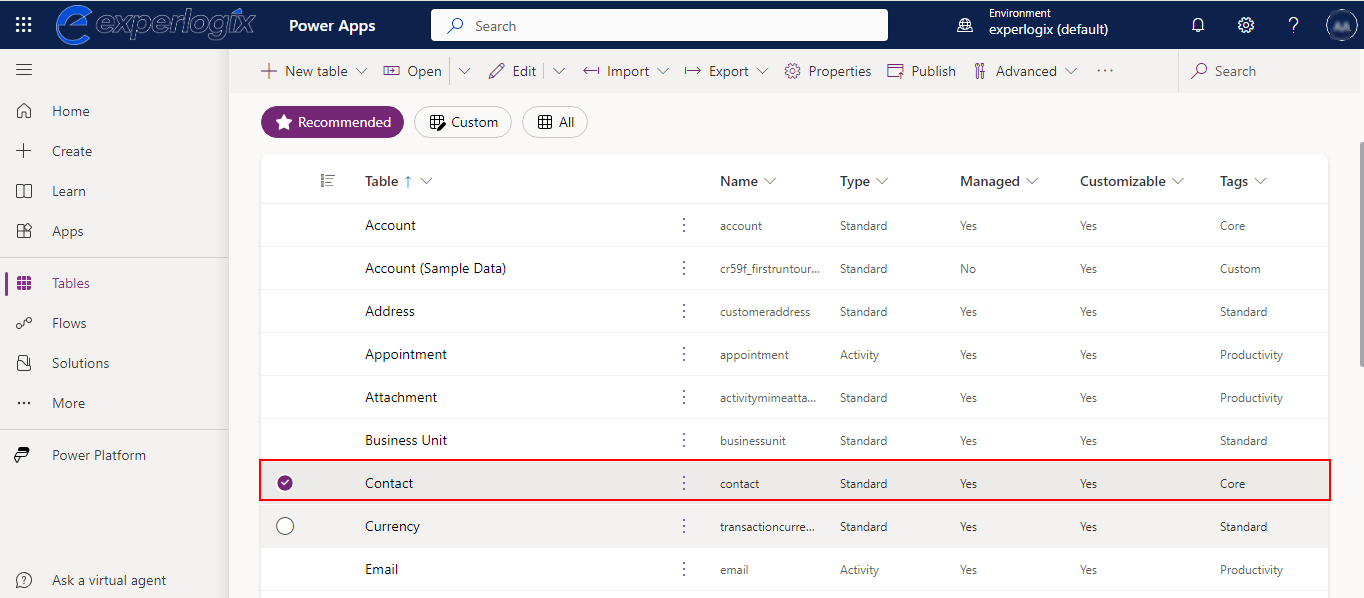
Select an entity.
-
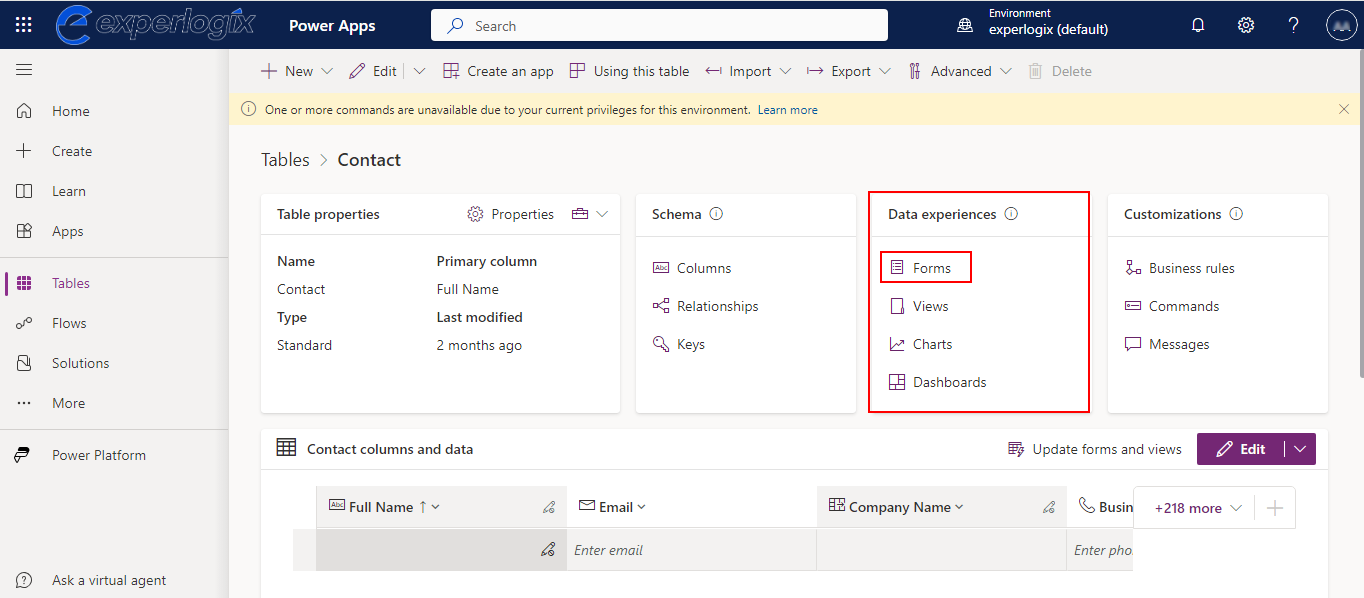
From the Contact page, go to Data experiences and select Forms.
-
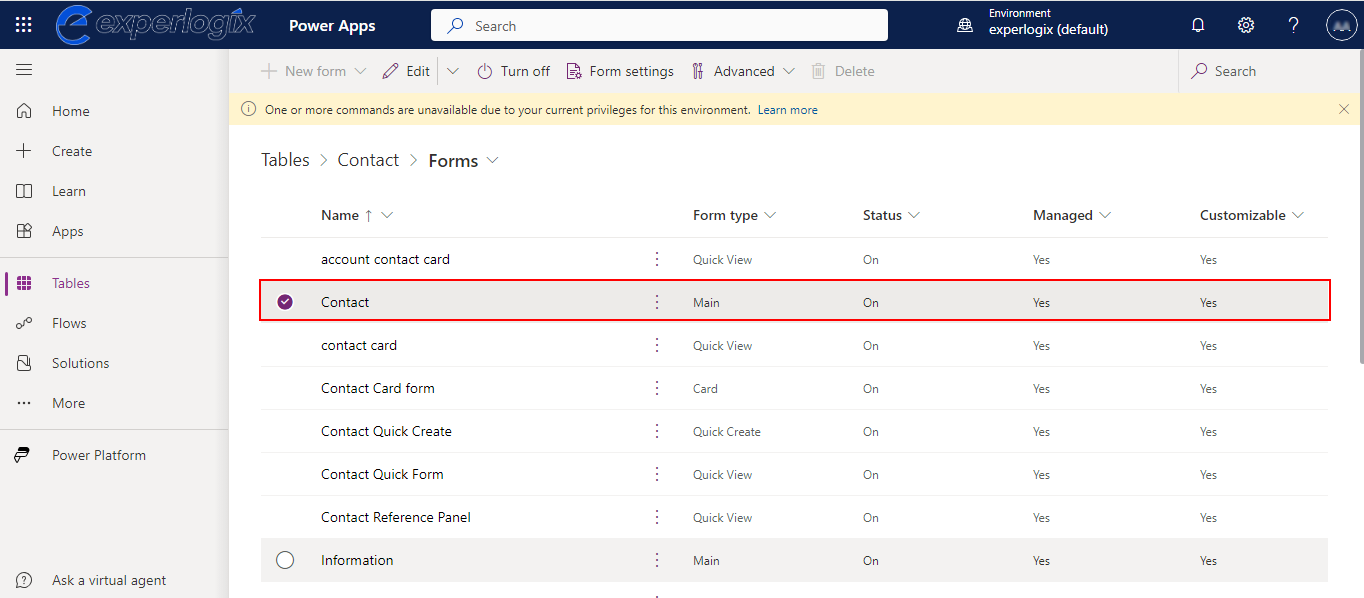
Select a form.
-
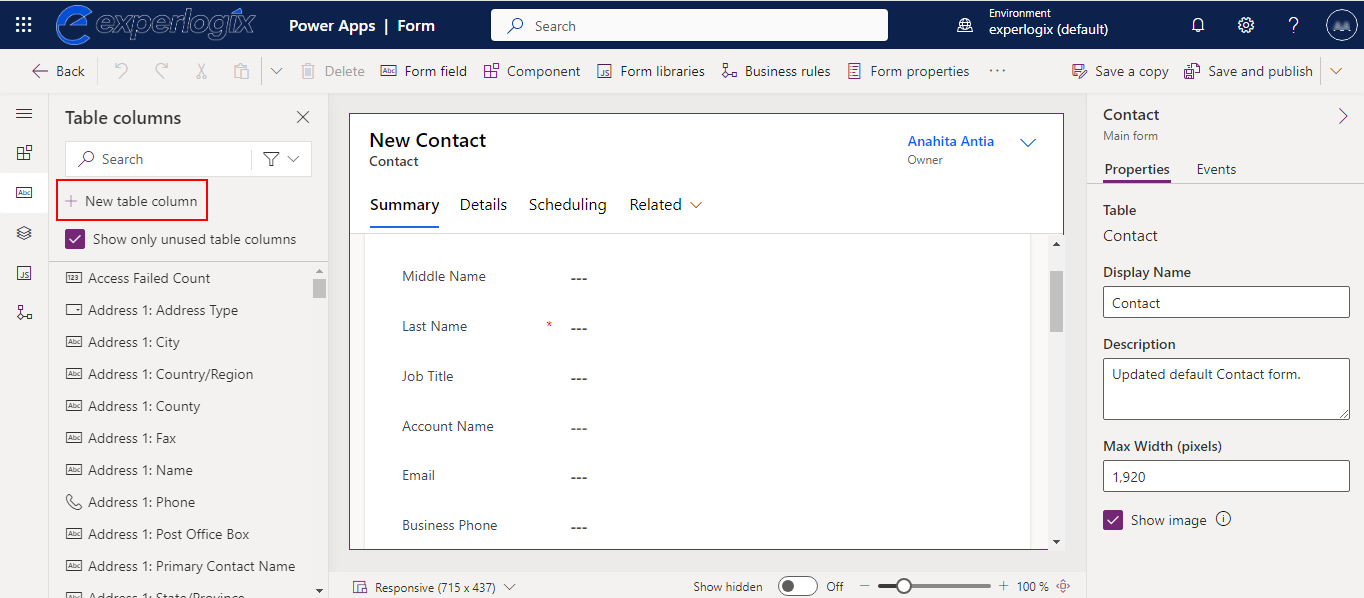
From the left-hand menu, select New table column.
-
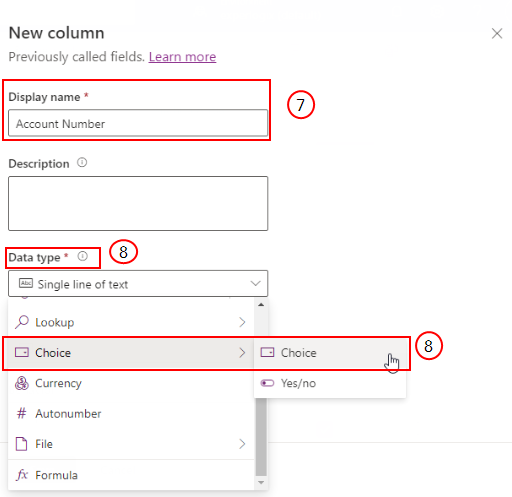
In the Display name field, enter a name for the new field.
-
Under Data type, hover over Choice and select Choice from the flyout menu.
-
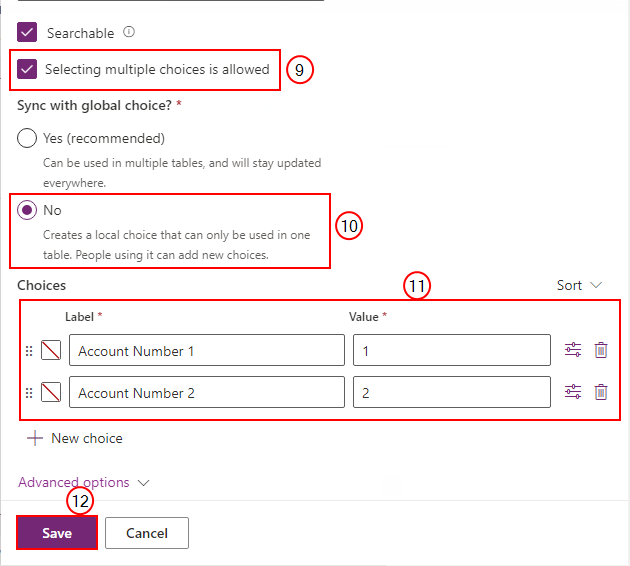
Select the Selecting multiple choices is allowed checkbox.
-
Under Sync with global choice, select No.
-
Under Choices, enter at least one Label name and a corresponding Value.
-
Select Save.
-
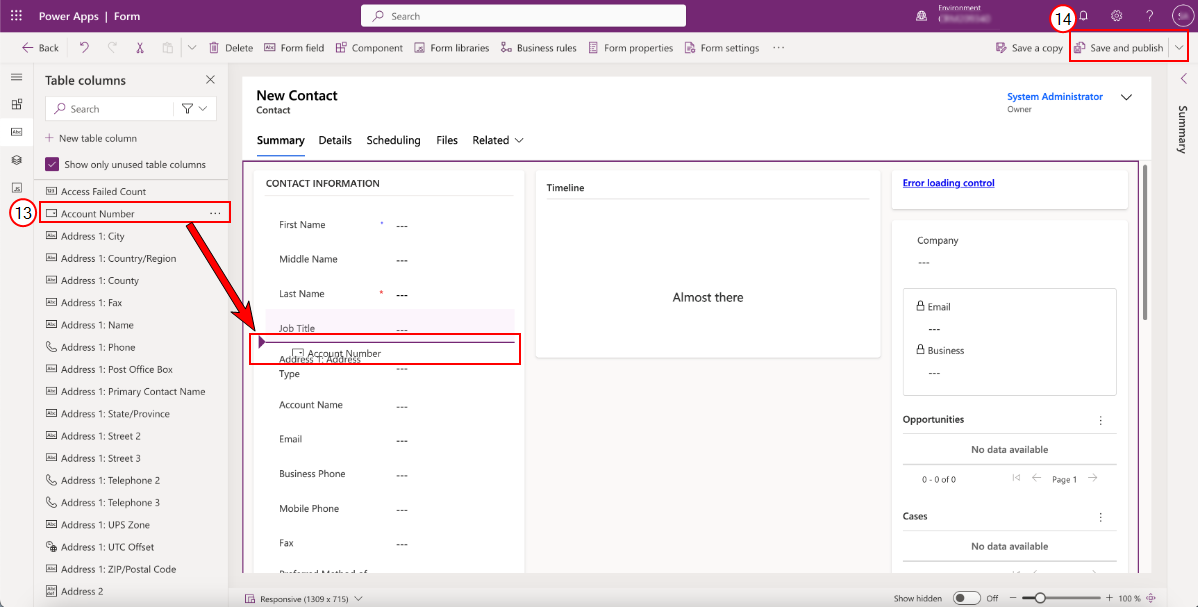
Drag and drop your new field into the Contact form.
-
Select Save and publish.