
The Approve document flow block allows a user to review a document and either resume or reject a flow execution. When the user reaches the Approve document flow block, a pop-up view of the document displays in the Flow Execution Panel.
If the user chooses to accept the preview, the flow continues moving forward. If the user chooses to reject the flow, a text field displays to allow the user to input a reason for the rejection. During the flow creation, a designer can configure a rejection of the Approve document flow block to either allow the flow to continue or to stop the flow.
NOTE In the basic flow view, the Approve document flow block can only be added in the Store and Deliver step.
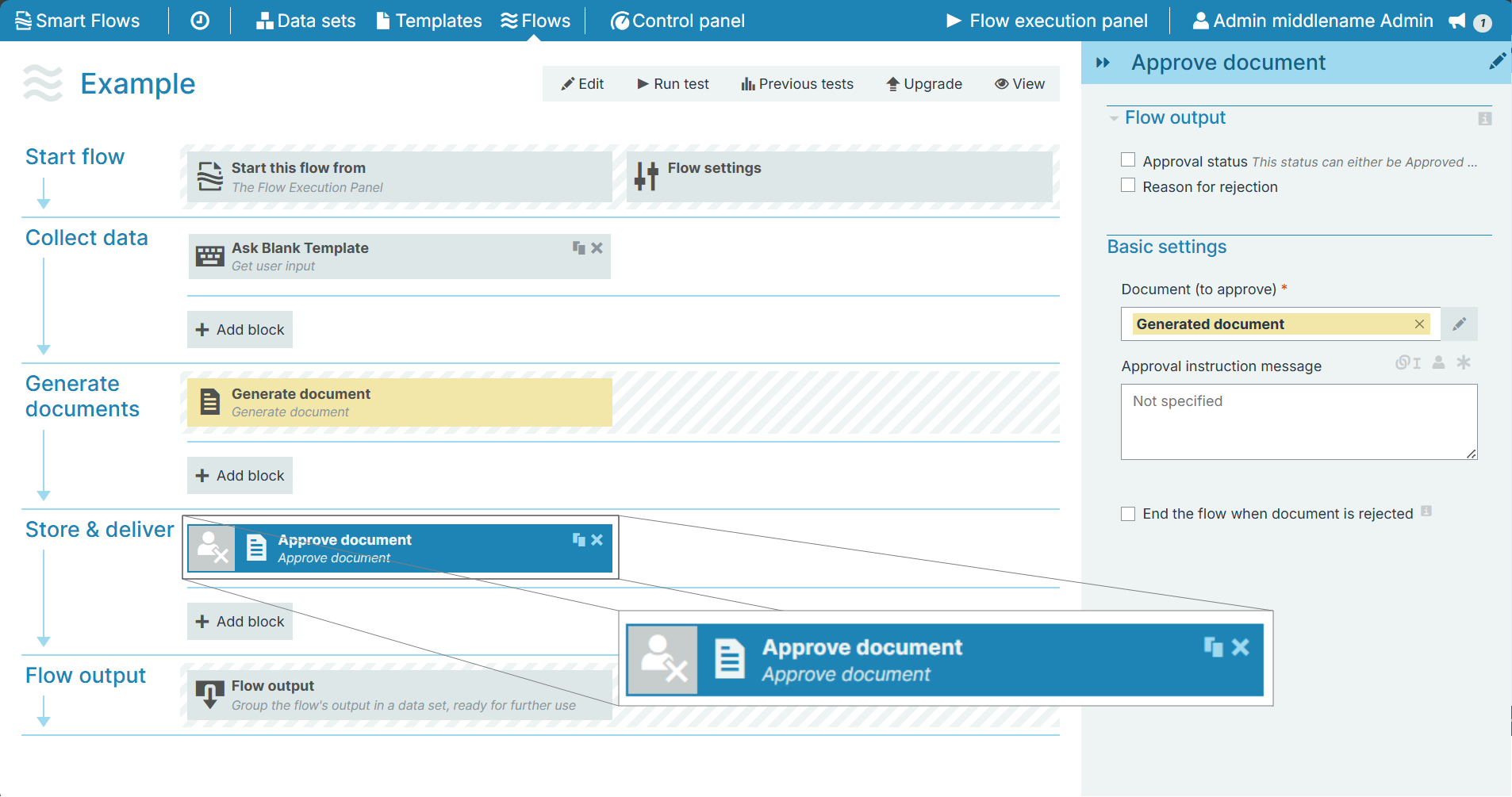
Flow Block Parameters
The dropdown menus below provide all of the flow block's configuration options with detailed information and recommendations to help you configure your flow block.
Flow block customization buttons
You can further customize your flow block's parameters in several ways
-

-

-

Flow output
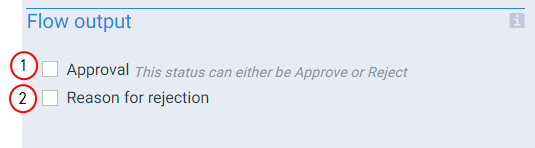
The Flow Output section shows all the output parameters that are available for the block. When checked, the value of the output parameter is presented to the user who is executing the flow. Each setting that composes this output information is described in detail below:
|
Index No. |
Field Name |
Function |
|---|---|---|
|
1 |
Approval |
When checked, the system provides the status of the approval during the flow output with the following responses: Approve or Reject. |
|
2 |
Reason for rejection |
When checked and the status is Reject, the system provides the reason for the rejection during the flow output step. |
Basic settings
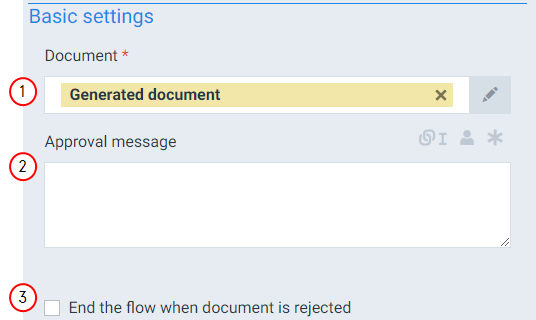
The Basic settings of the Approve document flow block define which document to send for approval and what actions the system should take depending on the approval status.
|
Index No. |
Field Name |
Function |
|---|---|---|
|
1 |
Document |
Defines the document to use for the approval step. |
|
2 |
Approval message |
Sets the message to display when the flow gives recipient the option to Approve/Reject the document. |
|
3 |
End the flow when the document is rejected |
When checked and the Approval status is reject, the system ends the flow and goes directly to the Flow output step. |