
The Create note flow block allows designer to create a note. There is also an option to attach the created note to a document.
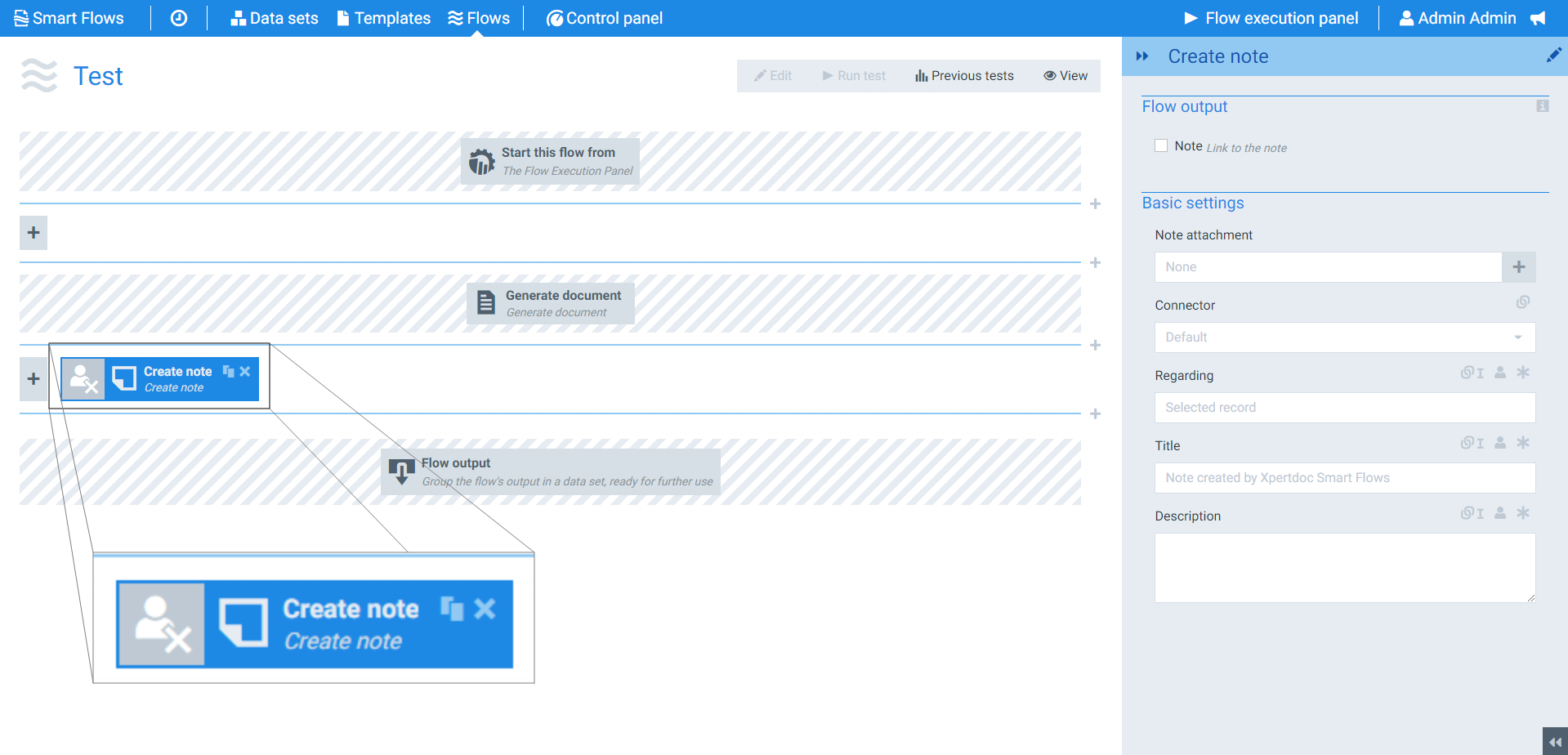
Flow Block Parameters
The dropdown menus below provide all of the flow block's configuration options with detailed information and recommendations to help you configure your flow block.
Flow block customization buttons
You can further customize your flow block's parameters in several ways
-

-

-

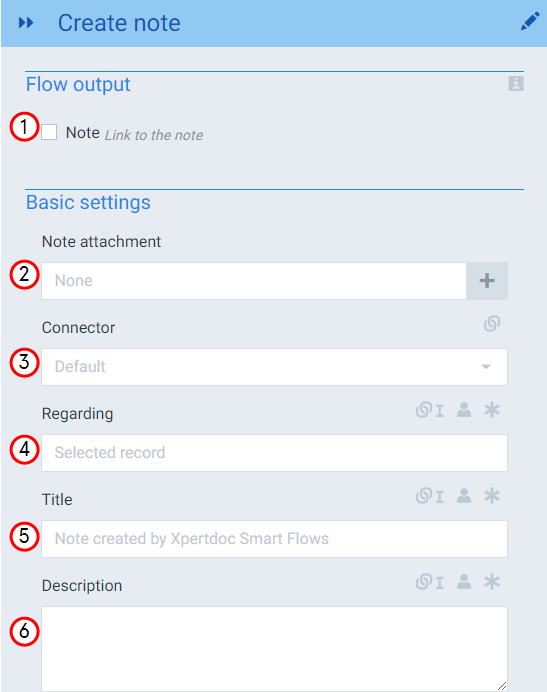
Flow output and Basic settings
|
Index No. |
Field Name |
Function |
|---|---|---|
|
1 |
Note |
When checked, the system provides a link to the note upon flow completion. |
|
2 |
Note attachment |
Designates the document to attach to the note. |
|
3 |
Connector |
The Microsoft Dynamics 365 CE connector to use, if you have only one connector the system selects it by default. |
|
4 |
Regarding |
Sets the record in the CRM system on which to attach the note. By default, this is the selected record, but it can also be a related record. |
|
5 |
Title |
Sets the display title for the note. |
|
6 |
Description |
Fills the description field of the note. |