
The Store in Salesforce flow block allows Designers to store documents in Salesforce.
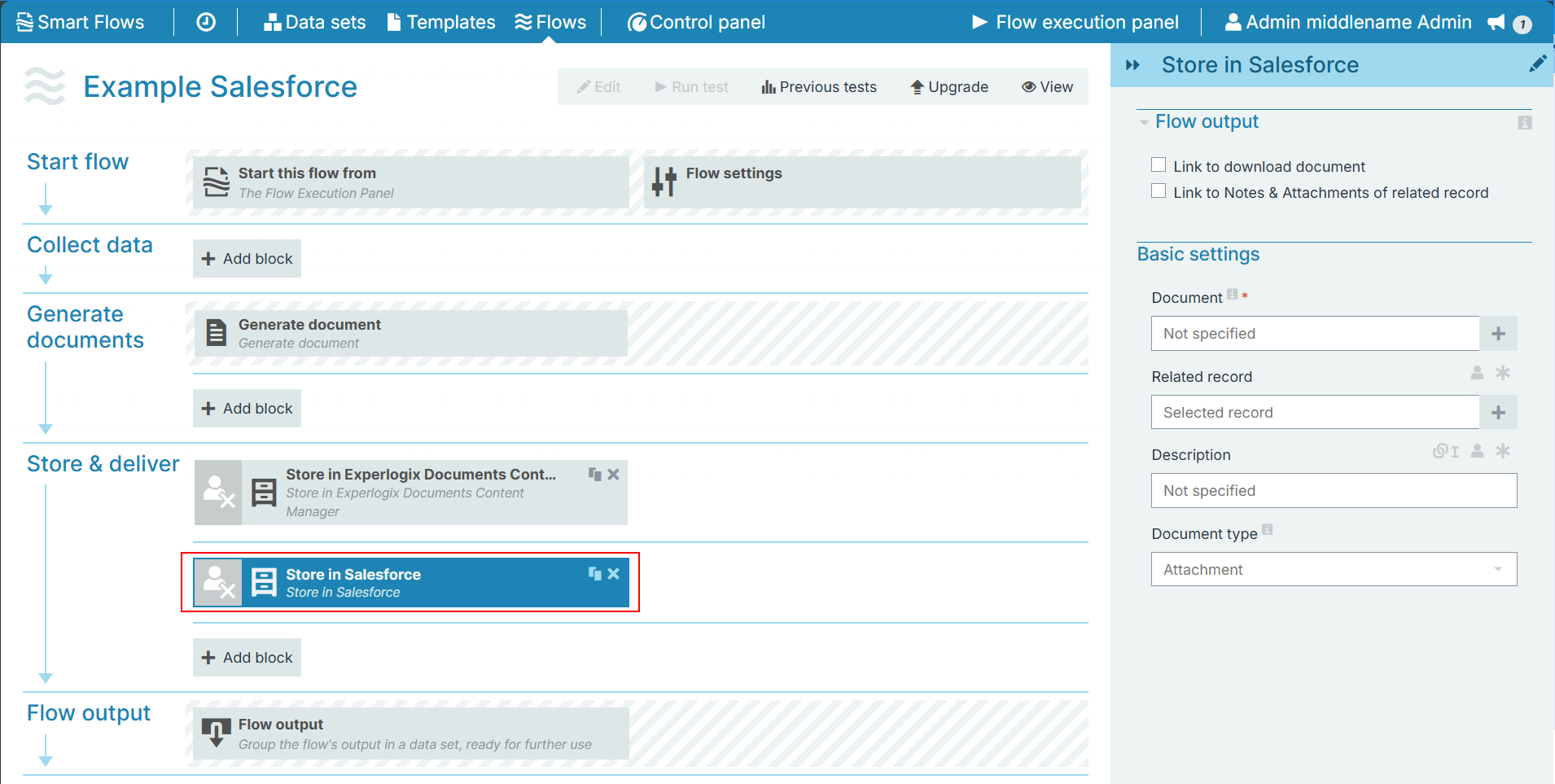
Flow Block Parameters
The dropdown menus below provide all of the flow block's configuration options with detailed information and recommendations to help you configure your flow block.
Flow block customization buttons
You can further customize your flow block's parameters in several ways
-

-

-

Flow output
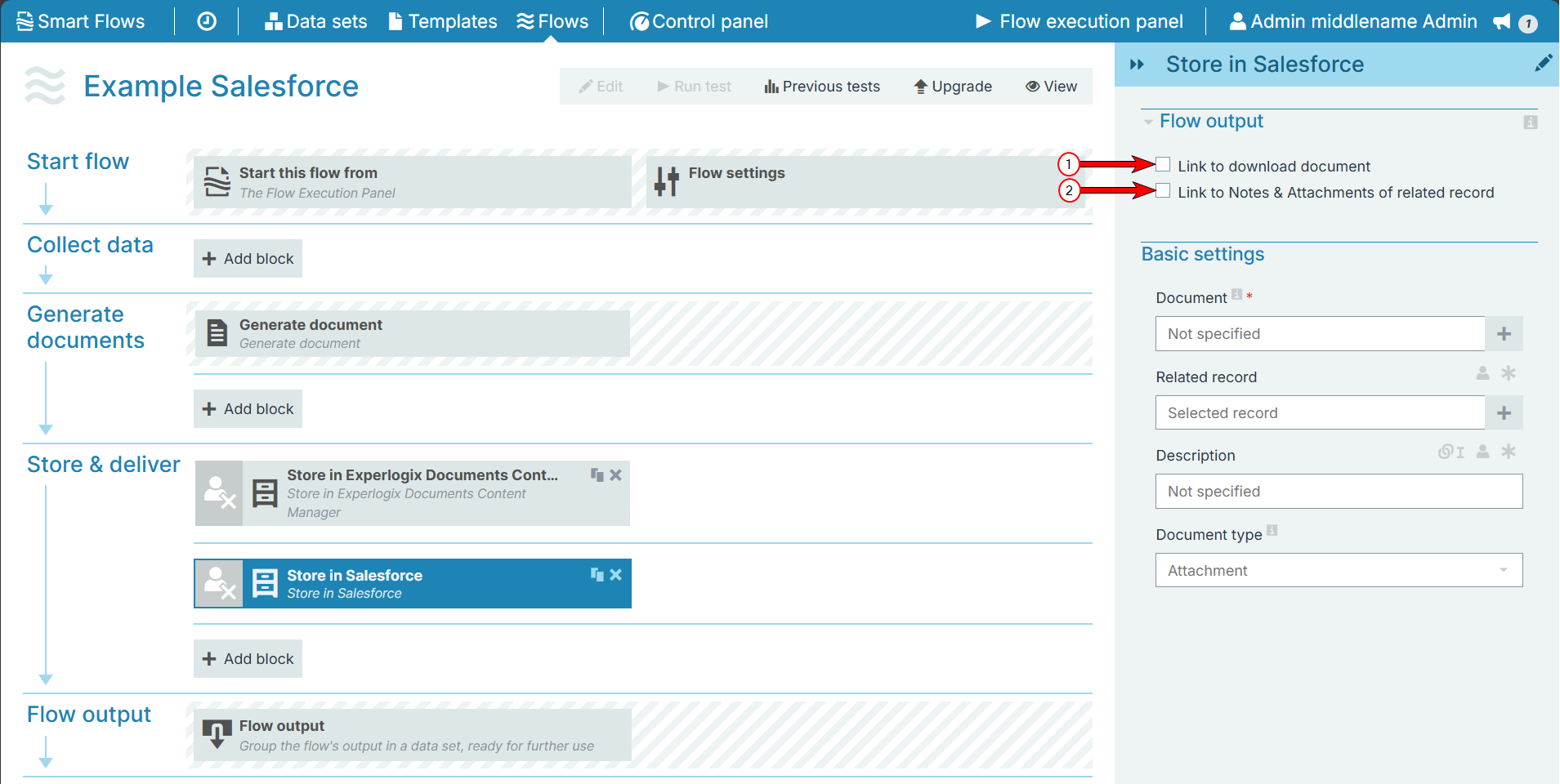
The Flow Output section shows all the output parameters that are available for the block. When checked, the value of the output parameter is presented to the user who is executing the flow. Each setting that composes this output information is described in detail below:
|
Index No. |
Field name |
Description |
|---|---|---|
|
1 |
Link to download attachment |
When checked, Smart Flows provides a direct link to the Generated Document's file location in Salesforce during the flow output. |
|
2 |
Link to Notes & Attachments of related record |
When checked, the system provides a direct link to the Notes and Attachment section in Salesforce. Users can find and download the Generated document from the Notes and Attachments interface. |
Basic settings
|
Index No. |
Field name |
Description |
|---|---|---|
|
1 |
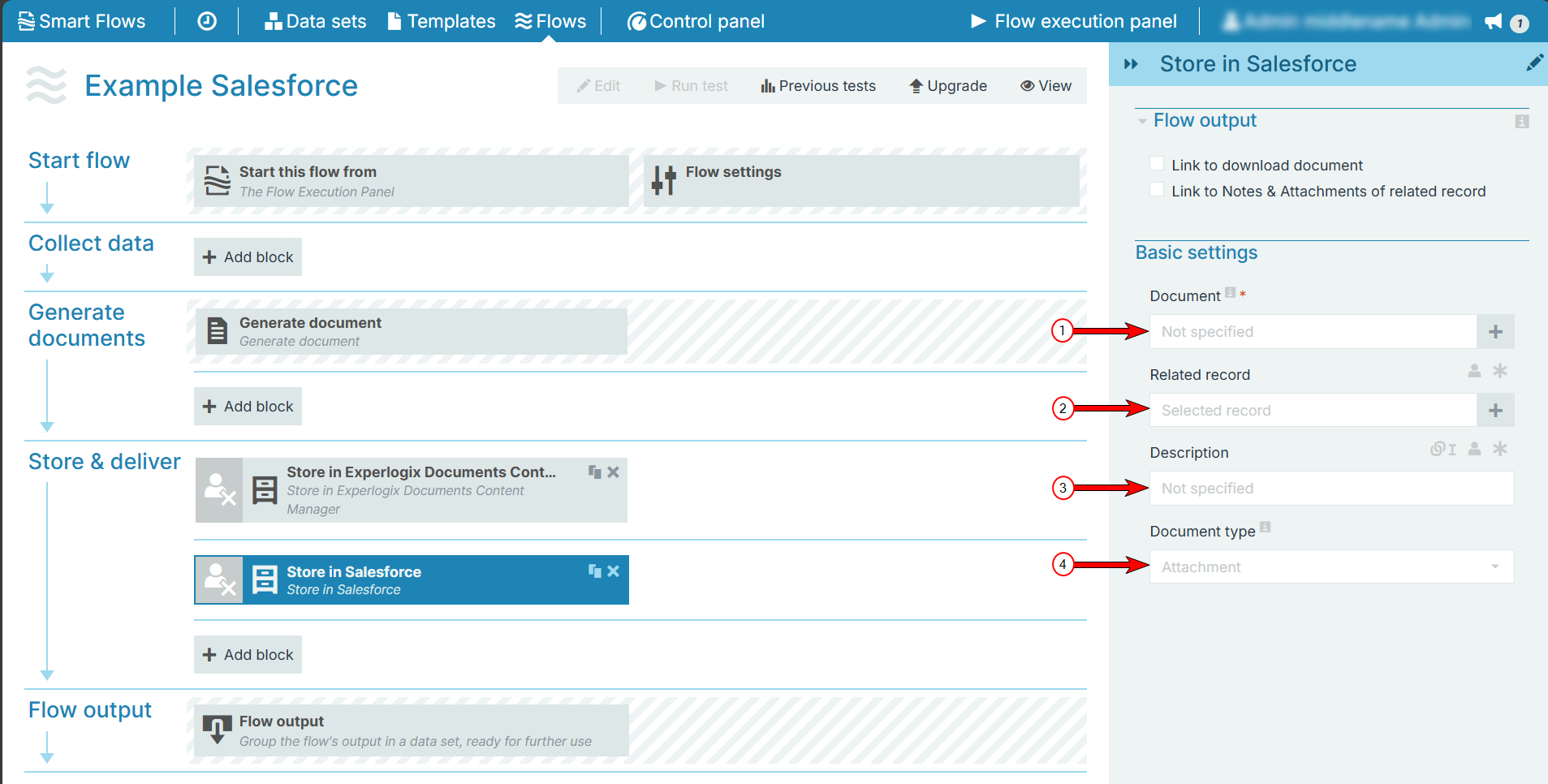
Document |
The document to store in Salesforce. The system uses the generated document by default. |
|
2 |
Related record |
Allows Designers to couple related records mappings from their data set to output dynamic data in the flow execution output |
|
3 |
Description |
A free text field that users can couple with related records mappings from their data set to output dynamic data in the flow execution output and with metadata from the Generated Document |
|
4 |
Document Type |
Defines how to store the document in Salesforce with the following options:File, Attachment(default) . |