
Entities Fail to Load in Data Set Builder
Entities Fail to Load in Data Set Builder
Problem - Entities fail to load while building a data set.
Solution - Clear the connector cache.
-
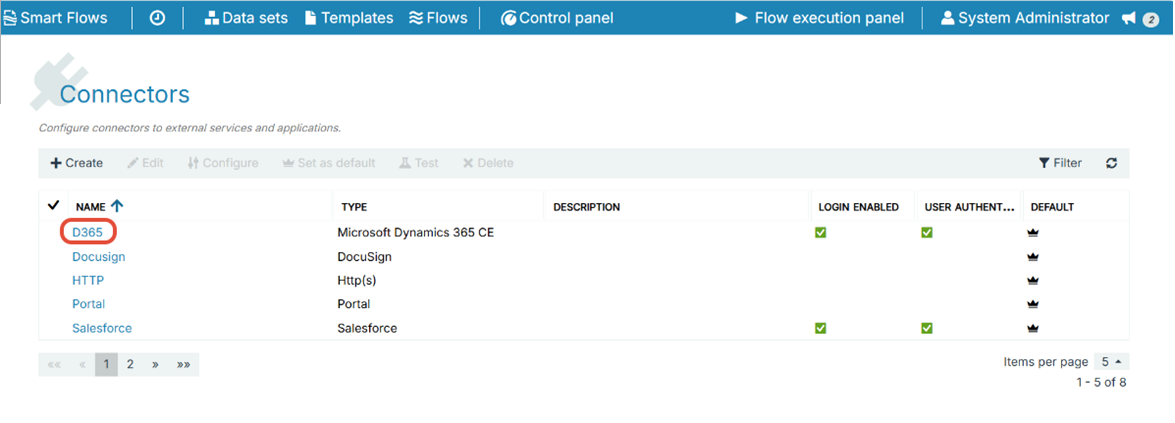
Select Control Panel > Connectors.
-
Select the connector.
-
Select Clear cache. (Wait for few seconds to view the success message)
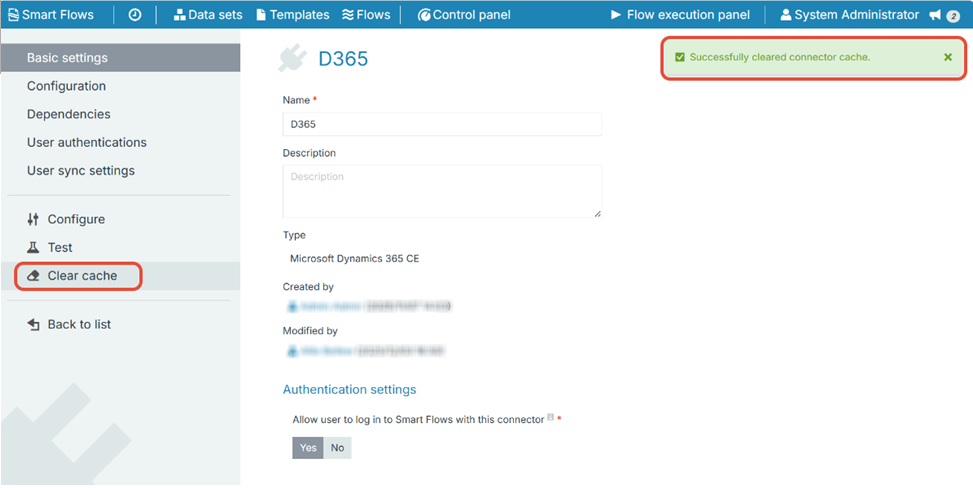
Smart Flows caches metadata from the CRM/ERP to avoid retrieving it each time a data set is built or a flow is executed. When changes occur - such as adding or renaming a field - the metadata must be refreshed. Clearing the cache removes outdated data. After reloading the data set, Smart Flows retrieves the updated structure, making the new entity or field available. Note that the initial load after clearing the cache may take slightly longer while updated metadata is fetched.