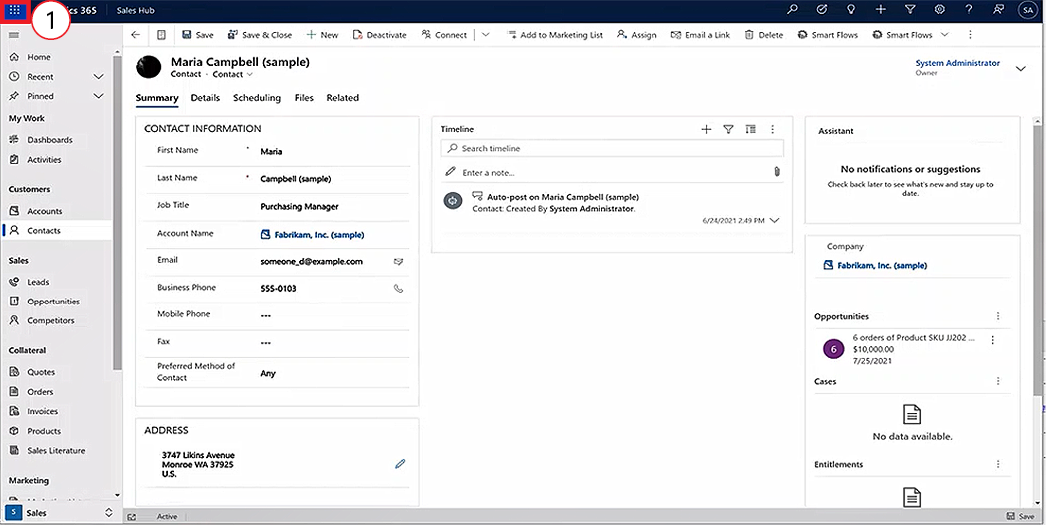
Power Apps is a suite of apps, services, and connectors that is packaged with Dynamics 365. Power Apps has a setting with the Dataverse tables that controls the advanced functions of the fields.
Before Smart Flows and Template Builder can utilize the images stored in Dynamics 365, users must enable Power Apps to allow image storage for the entityimage table.
Enable Power Apps
-
In the Microsoft 365 environment, select Apps.
-
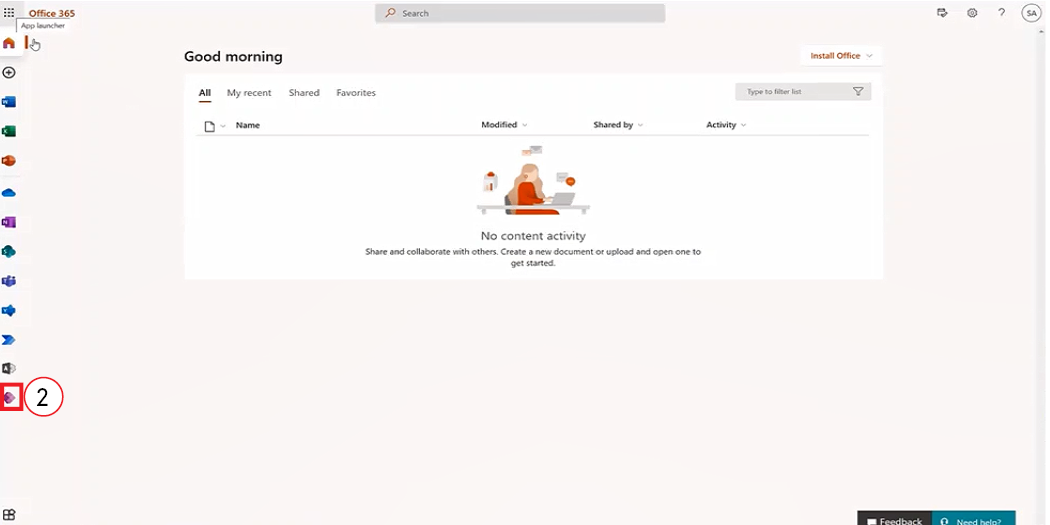
Select Power Apps.
Enable Dataverse Image support
-
Select Dataverse > Tables > Contact.
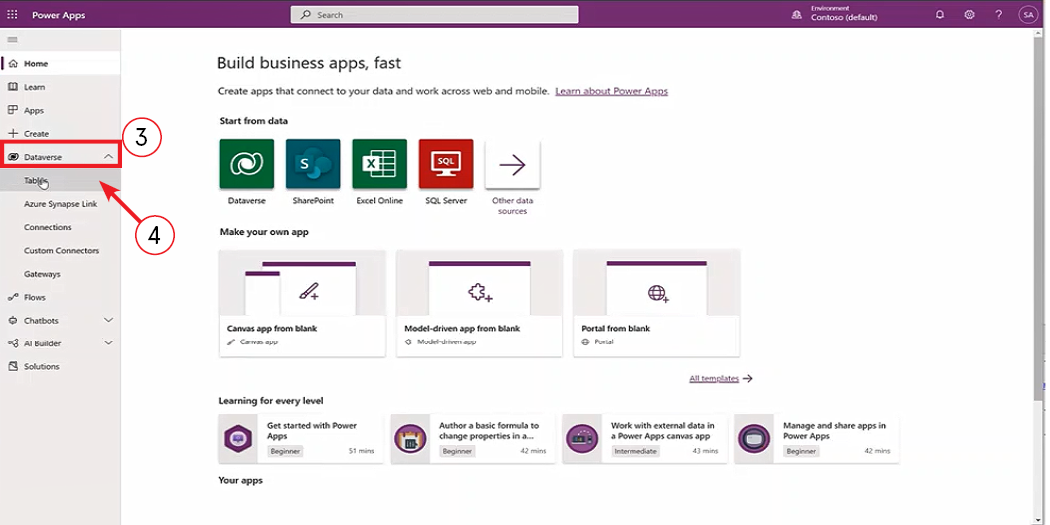
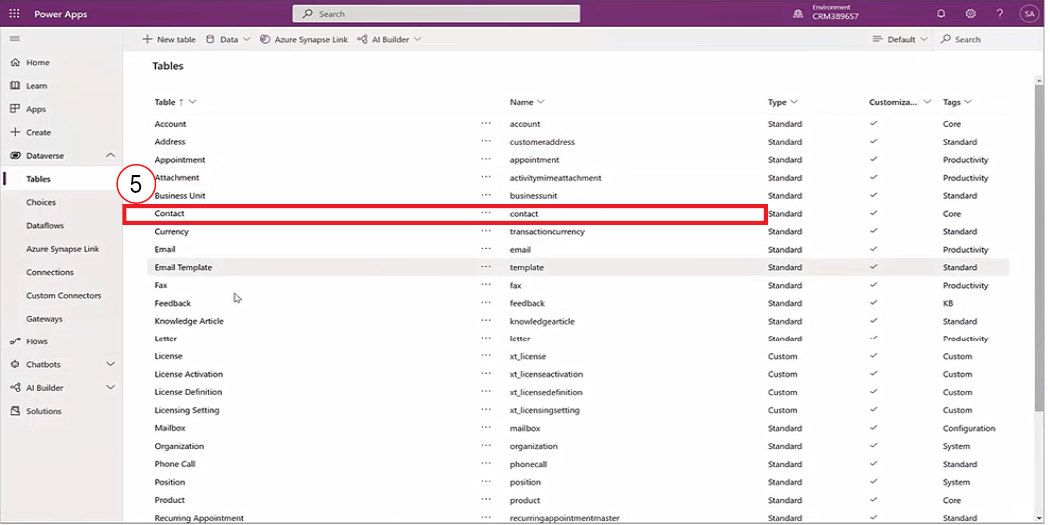
Note: Your table name may differ, however, the steps will be the same for enabling image support for any of your Dataverse Tables.
-
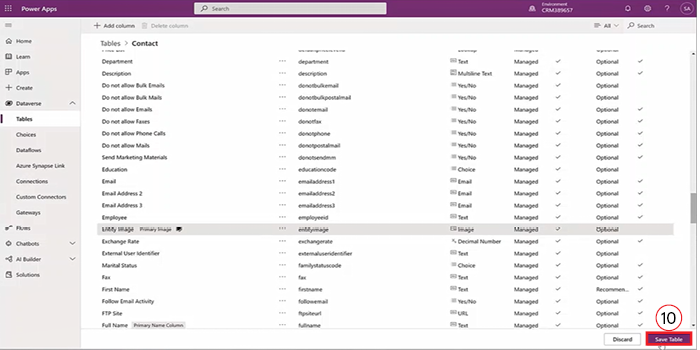
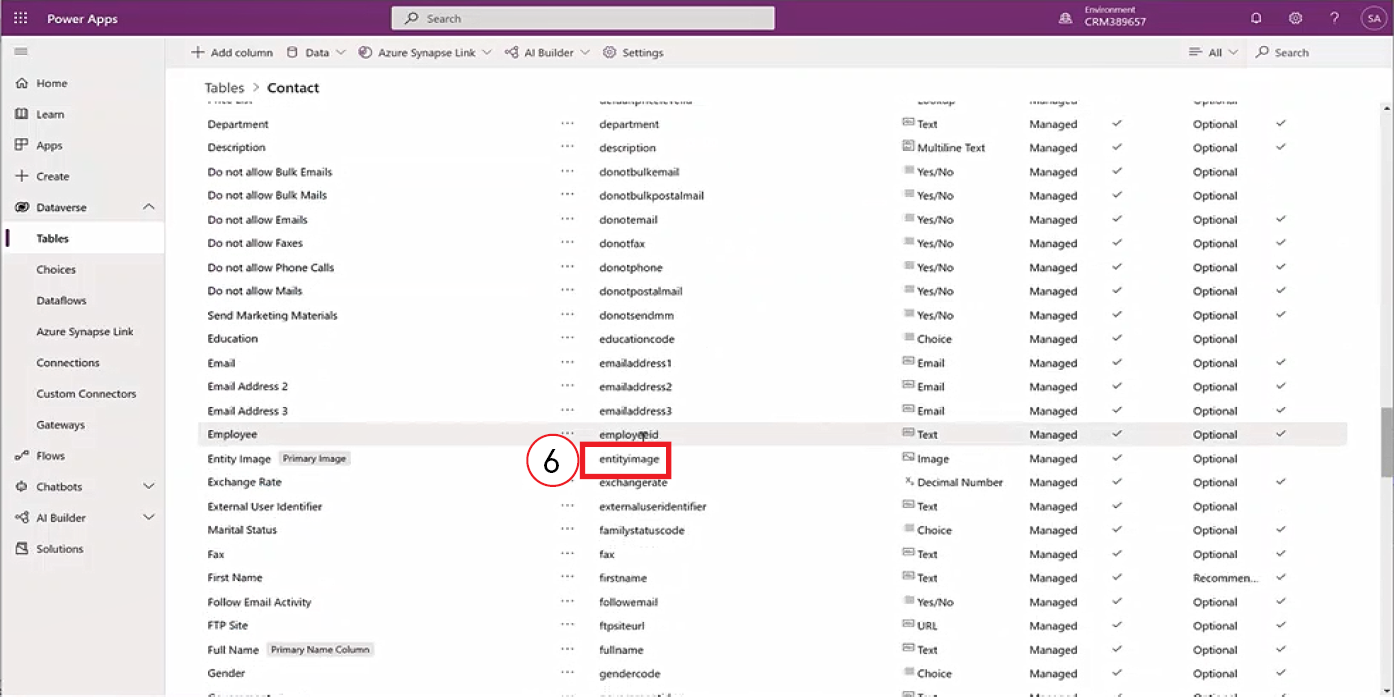
in the Name column, scroll and double-click the entity image option.
-
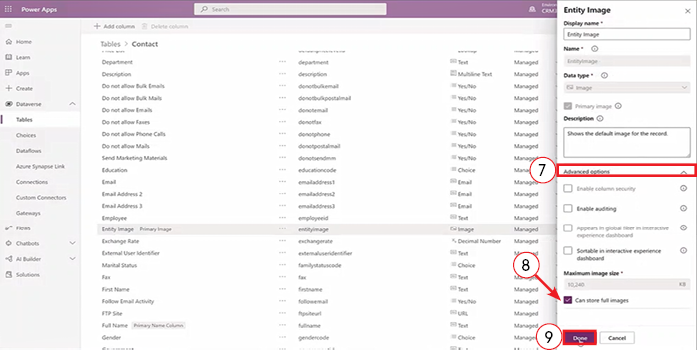
Select the Advanced Options tab.
-
Next to Can Store Full Images, select the checkbox.
-
Select Done.
-
Select Save Table.
After a few minutes, the page refreshes.