
Experlogix Smart Flows work with connected systems such as Microsoft Dynamics 365, SugarCRM, SharePoint, and so on that store dates in different formats. In Smart Flows, users can change the date format to match their connected system's requirements.
For Microsoft Dynamics 365, the dates must be changed to the yyyy-MM-dd'T'kk:mm:ss'Z' format to store them.
Update the Date Format
-
Create a Custom Data set.
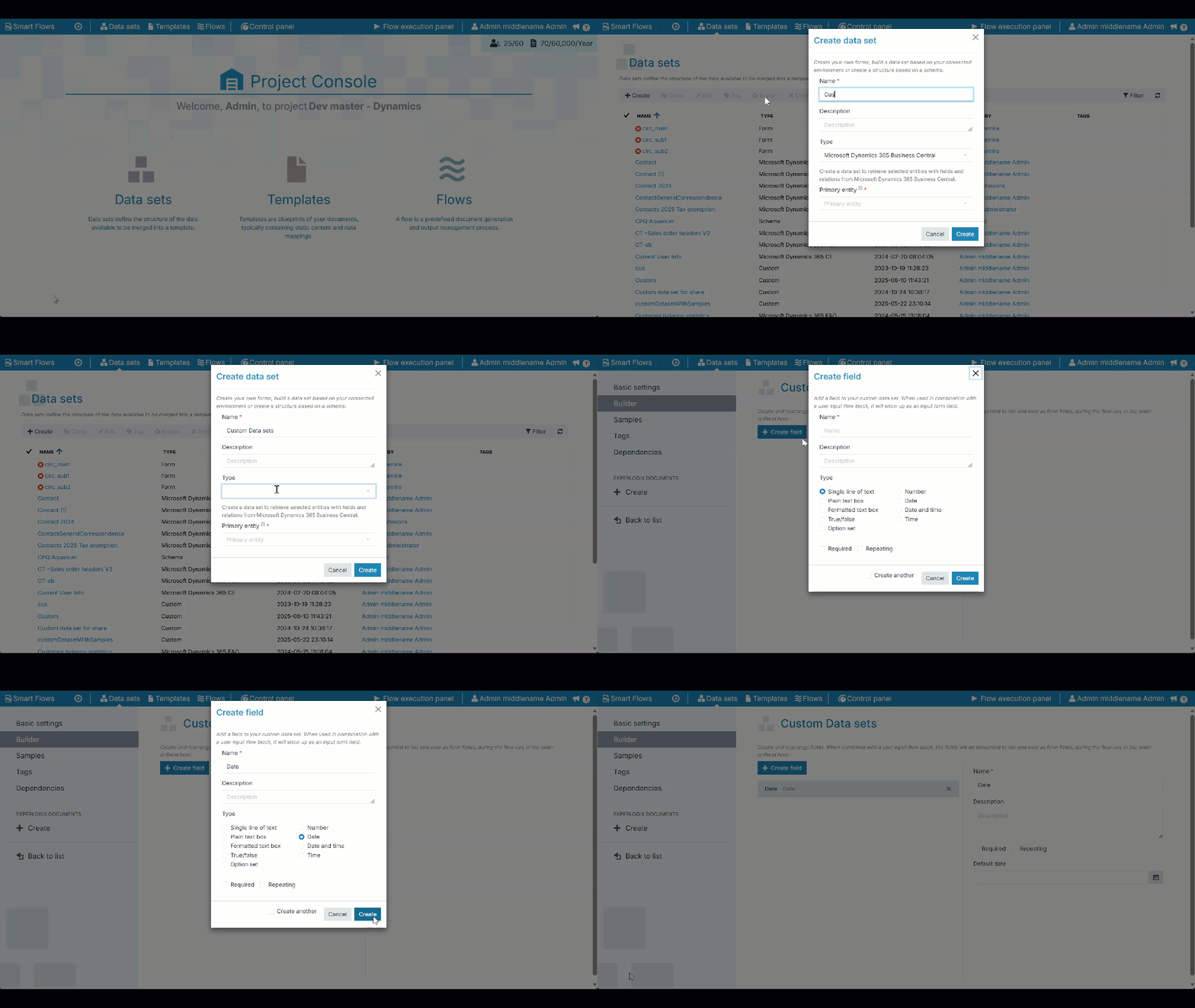
-
In the Flow Builder, add the Create data flow block.
-
Map the previously created Custom Data set and select Map Fields.
-
Select the Date field and select a date format of your choice.
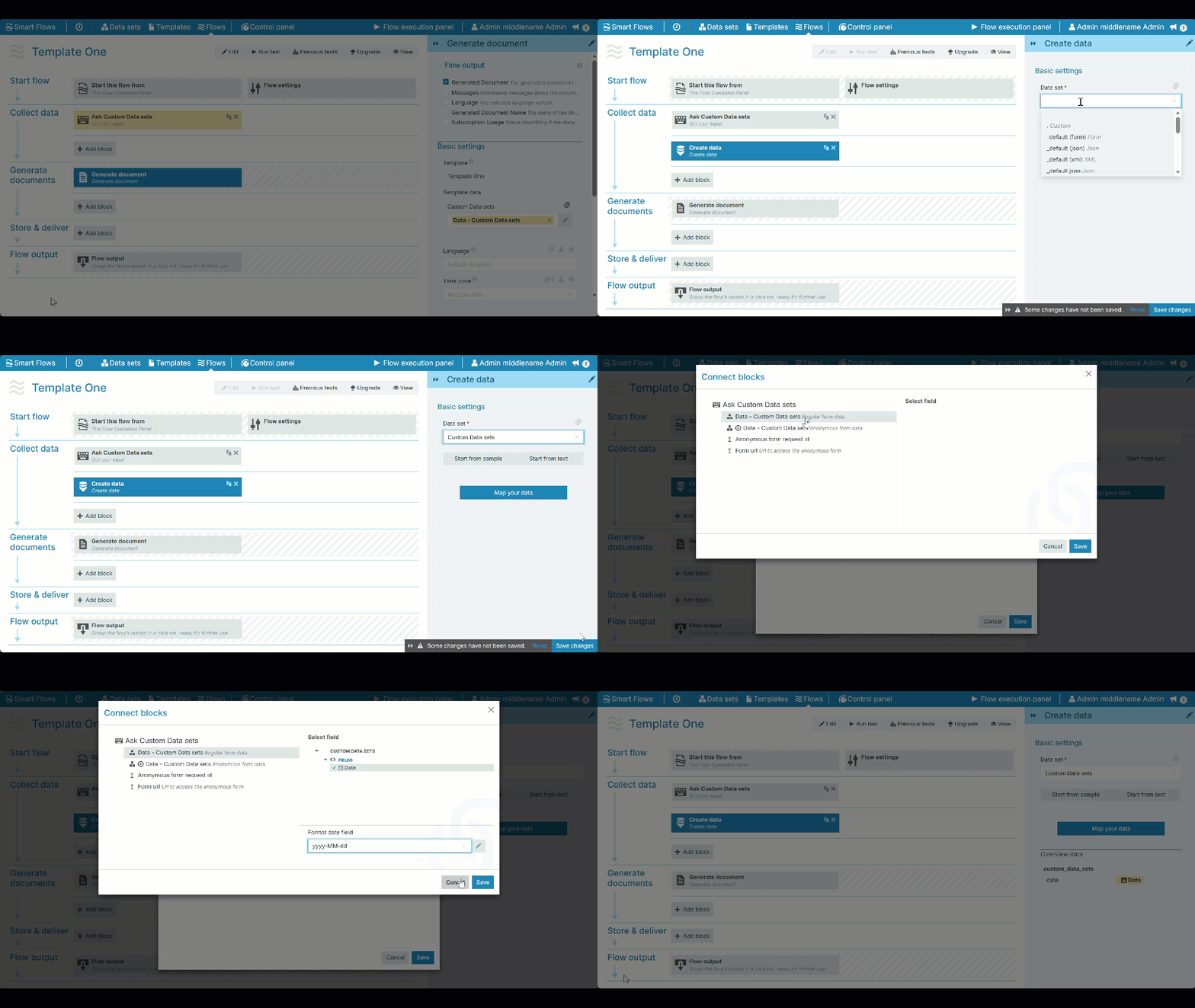
You can use the modified date field in subsequent flow blocks by referencing the date field from the Custom Data set instead of the original field.